WordPress Changelog Plugin

Add a Professional Changelog to WordPress That Closes the Feedback Loop

WordPress has no built-in changelog. ProductLift adds categorized product updates with email notifications. When you ship a requested feature, every voter who asked for it gets notified automatically.

3,051 WordPress sites
4.8 on G2
Auto-notify voters

Aaron Dye Timothy M. Ben Marco Chris R.
from 124+ reviews
WordPress changelog plugin with categorized product updates

What Happens Without a WordPress Changelog

Before

With ProductLift

Users don't know you shipped their feature request
Voters get notified automatically when you ship
Support tickets asking about things you already fixed
Users browse categorized updates on their own
Prospects visit your WordPress site and think the product is abandoned
Months of visible updates build buying confidence
Blog posts about updates get buried under other content
Dedicated changelog with email notifications for subscribers

Everything You Need in a WordPress Changelog Plugin

Categorized Entries

Tag updates as New Feature, Improvement, or Bug Fix. Users filter to see only what matters to them.

Rich Media

Add screenshots, videos, and GIFs to every entry. Show users what changed instead of just telling them.

Email Notifications

Subscribers get an email every time you publish. No more hoping users check your WordPress site for updates.

User Reactions

Let users react to entries so you see which changes resonate most with your audience.

Feedback to Shipped, in One Platform

Feature requests travel through your roadmap and become changelog entries. Voters get notified when you ship.

Full Customization

Match your changelog to your WordPress theme with custom colors, fonts, and layout. White-label option available.

See the WordPress Changelog Plugin in Action

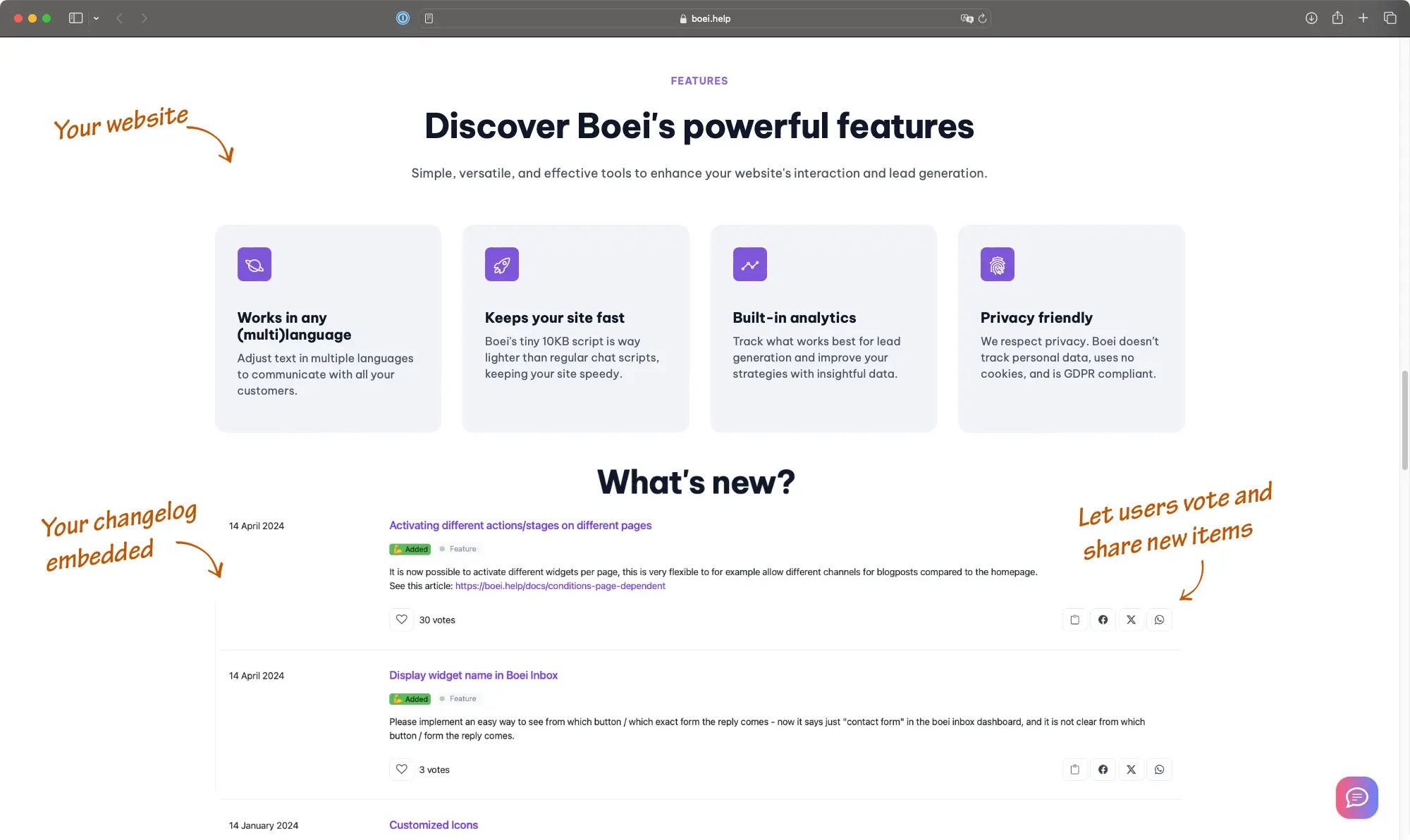
This is a live ProductLift changelog embedded on this page, exactly how it would look on your WordPress site.

Other Demo Options

Sidebar Widget Demo

See how the changelog works as a sidebar widget on your WordPress site, perfect for announcing updates without a dedicated page.

Try Sidebar Widget

Standalone Page Demo

View the full standalone changelog on its own page, hosted on a custom subdomain like changelog.yoursite.com.

View Standalone Demo

How to Install on WordPress

ProductLift is not a WordPress plugin you install from the directory. It is a hosted service you embed with one line of code. This means zero database tables, no plugin conflicts, and no PHP compatibility issues.

  • Add the ProductLift JavaScript SDK to your page (one script tag)
  • Paste the iframe embed code into a Custom HTML block, or use an HTML widget in your page builder
  • Or link to your hosted changelog at a subdomain like changelog.yoursite.com
  • Works with Gutenberg, Elementor, Divi, and any page builder

How to Install on WordPress

3,051

WordPress sites using ProductLift

4.8

Average rating on G2

0

Database tables added to WordPress

Trusted by WordPress Pros Worldwide

Sebastian F.

Sebastian F.

Entrepreneur

This app will help you connect with your users and gather feedback like never before. The UI is clean and focused. The different pages and forms can be fully customized. Ruben is an amazing developer and entrepreneur with a proven track record. ProductLift is going places and you should get onboard.
Aaron Dye

Aaron Dye

An excellent product with equally excellent support! Everything just works, and when I had questions, the team was incredibly responsive.
Timothy M.

Timothy M.

Product Manager

This tool is literally a needle in a haystack. I was using Frill, and this doesn't even compare. The user interface, the way it lays out — so amazing. Also amazing support team!
Ben

Ben

Product Owner

Helped us quickly move away from our antiquated spreadsheet to a user-interactive system. User feedback is now collected in real-time. Support has been super speedy!
Marco

Marco

Based in Europe, ideal for privacy-conscious customer interaction. Constant improvements by Ruben together with thorough support make ProductLift a solid and future-proof choice.
Chris R.

Chris R.

Founder

By far the most customizable of all the feedback tools and much better than Feedbear. Developer is super responsive and support has been great. Highly recommend!

Who Uses a Changelog on WordPress

SaaS with WordPress Marketing Sites

Your product lives in the cloud, but your marketing site runs on WordPress. Embed the changelog so visitors see a track record of active development.

WooCommerce Store Owners

Announce new payment options, product categories, and checkout improvements. Categorized entries drive adoption faster than blog posts.

Membership and Course Platforms

Members paying for ongoing access want proof the platform keeps improving. A changelog reinforces the value of their subscription.

Agencies Updating Client Projects

Replace status emails with a changelog on the client's WordPress site. Every deployment gets logged with context.

Connected to Feedback and Roadmap

Connected to Feedback and Roadmap

Most WordPress changelog plugins are standalone announcement boards. ProductLift connects your changelog to your feedback board and roadmap in one platform.

  • Feature requests from users flow into your roadmap
  • Shipped roadmap items automatically become changelog entries
  • Every voter who requested the feature gets notified when it ships
  • One embed code on your WordPress site for the complete lifecycle

Most WordPress changelogs are one-way announcements. You write, users read (or don't). ProductLift is different because your changelog is connected to your feedback board and roadmap.

When a user votes for a feature and you ship it months later, they get notified. That closes the loop. Users feel heard, trust grows, and churn drops. That's why over 3,000 product teams use ProductLift.

Ruben Buijs

Ruben Buijs

Founder of ProductLift

WordPress Changelog Plugin FAQ

How do I add a changelog to my WordPress site?

Sign up for ProductLift and create your changelog. Click Embed to get your code snippet. In WordPress, add a Custom HTML block, paste the code, and publish. Takes under five minutes.

Do I need to install a WordPress plugin?

No. ProductLift is hosted on its own servers and embedded via a small code snippet. There is nothing to install through the WordPress Plugins menu, no database tables created, and no PHP compatibility to worry about.

Will it slow down my WordPress site?

No. The embed loads asynchronously after your page content renders. Zero database queries on your WordPress server and no additional PHP execution.

Will it work with my theme and page builder?

Yes. The embed works inside any HTML block, so it is compatible with Gutenberg, Elementor, Divi, and any other page builder. It adapts to your theme automatically, and you can customize colors and fonts to match.

Can I categorize changelog entries?

Yes. Every entry can be tagged as New Feature, Improvement, Bug Fix, or custom categories. Users filter by category to find the updates they care about.

Will users get notified about new updates?

Users can subscribe and receive email notifications when you publish. If you also use ProductLift's feedback board, voters who requested a feature get notified automatically when it ships.

Can I migrate my existing changelog?

Yes. Whether your entries live in blog posts, a spreadsheet, or another tool, the ProductLift team offers free migration to import your historical entries.

Is there a free trial?

Yes. 14-day free trial with full access, no credit card required. Plans start at $14/month per team member with unlimited changelog entries and unlimited readers.

Add a Changelog to WordPress in 5 Minutes

Your users deserve to know what you shipped. Start with a free 14-day trial.

No credit card required · 14-day free trial · No WordPress plugin to install · Works with any theme