Guide

From Customer Request to Shipped Feature: Close the Loop Every Time

Most teams collect feedback but never tell customers what happened to it. ProductLift's Journey Model connects feedback, roadmap, changelog, and knowledge base into one continuous pipeline. Every voter gets notified at every transition. This is how you build trust at scale.

4.8 on G2
6,000+ teams
12 min read
Aaron Dye Timothy M. Ben Marco Chris R.
from 124+ reviews
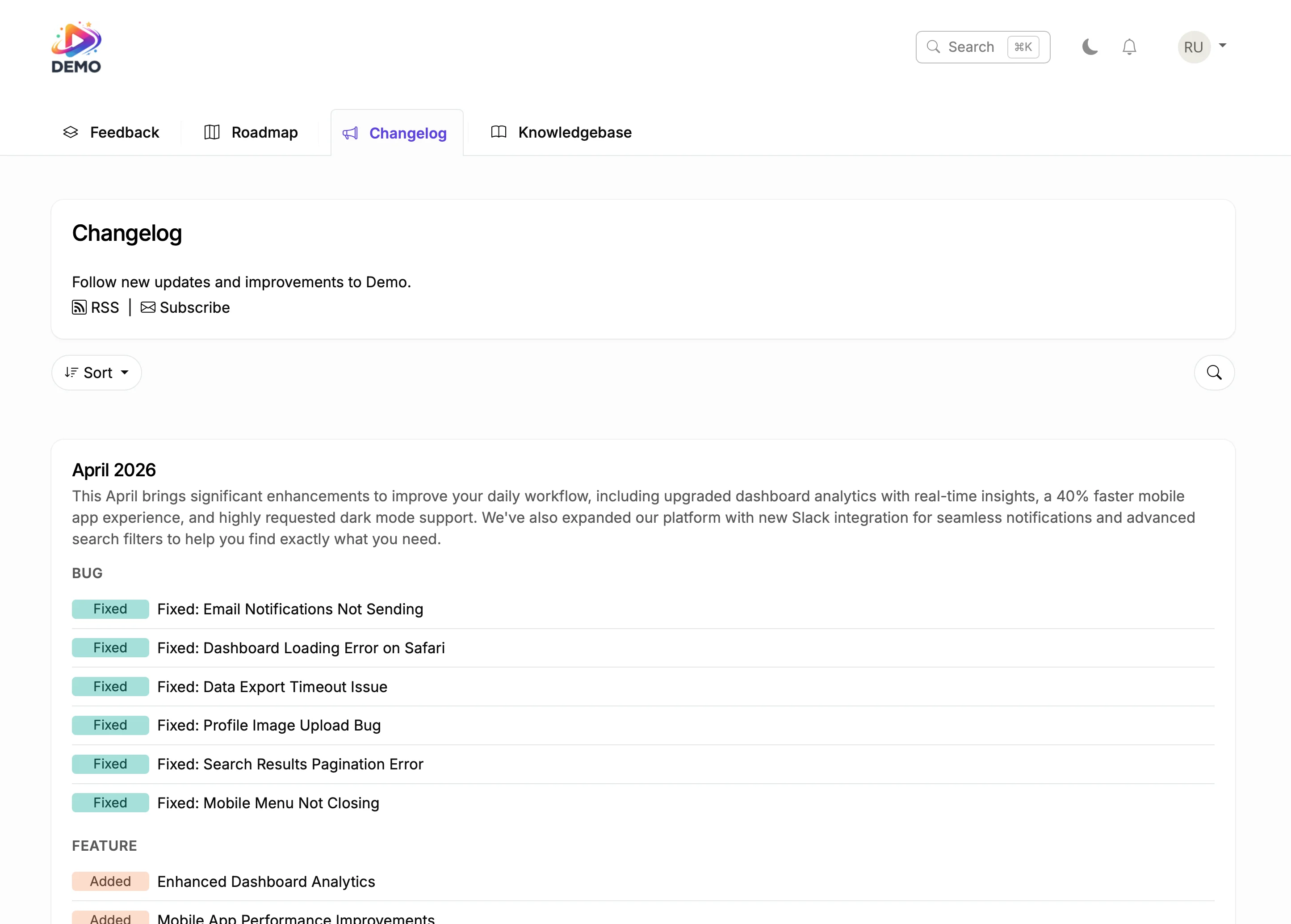
Changelog showing shipped features with categorized updates

Why Closing the Loop Changes Everything

Collecting feedback is easy. Thousands of tools do that. The hard part is telling customers what happened to their request after they submitted it. Did anyone read it? Is it being considered? Was it shipped six months ago and nobody told them?

When you close the feedback loop, three things happen. First, customers trust you more because they see their input led to action. Second, they submit more feedback because they know it won't disappear into a void. Third, they become advocates because they can point to specific features they influenced.

ProductLift's Journey Model makes this automatic. A single post travels from your feedback board to your roadmap to your changelog to your knowledge base. The same post ID, the same vote history, the same comment thread. Voters get notified at every transition without you sending a single manual email.

The Complete Journey: 7 Steps From Request to Documentation

Follow a single feature request through the entire lifecycle.

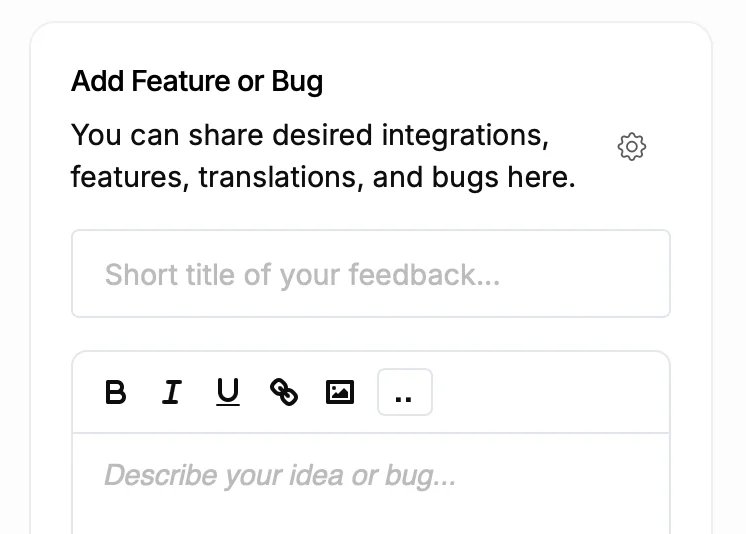
Customer submitting a feature request
1

1. Customer Submits a Feature Request

A user submits "Add dark mode" on your feedback board. It lands with a default status of "Gathering Votes." Other users discover it, vote on it, and leave comments describing their use case. The post accumulates votes, revenue data (via Stripe), and discussion.

2

2. You Move It to Under Consideration

After your planning meeting, you change the status to "Under Consideration." Every voter and follower gets an email notification. The post stays on your feedback board but now signals that your team has acknowledged it. Use an Internal Comment to note why the team picked this one up.

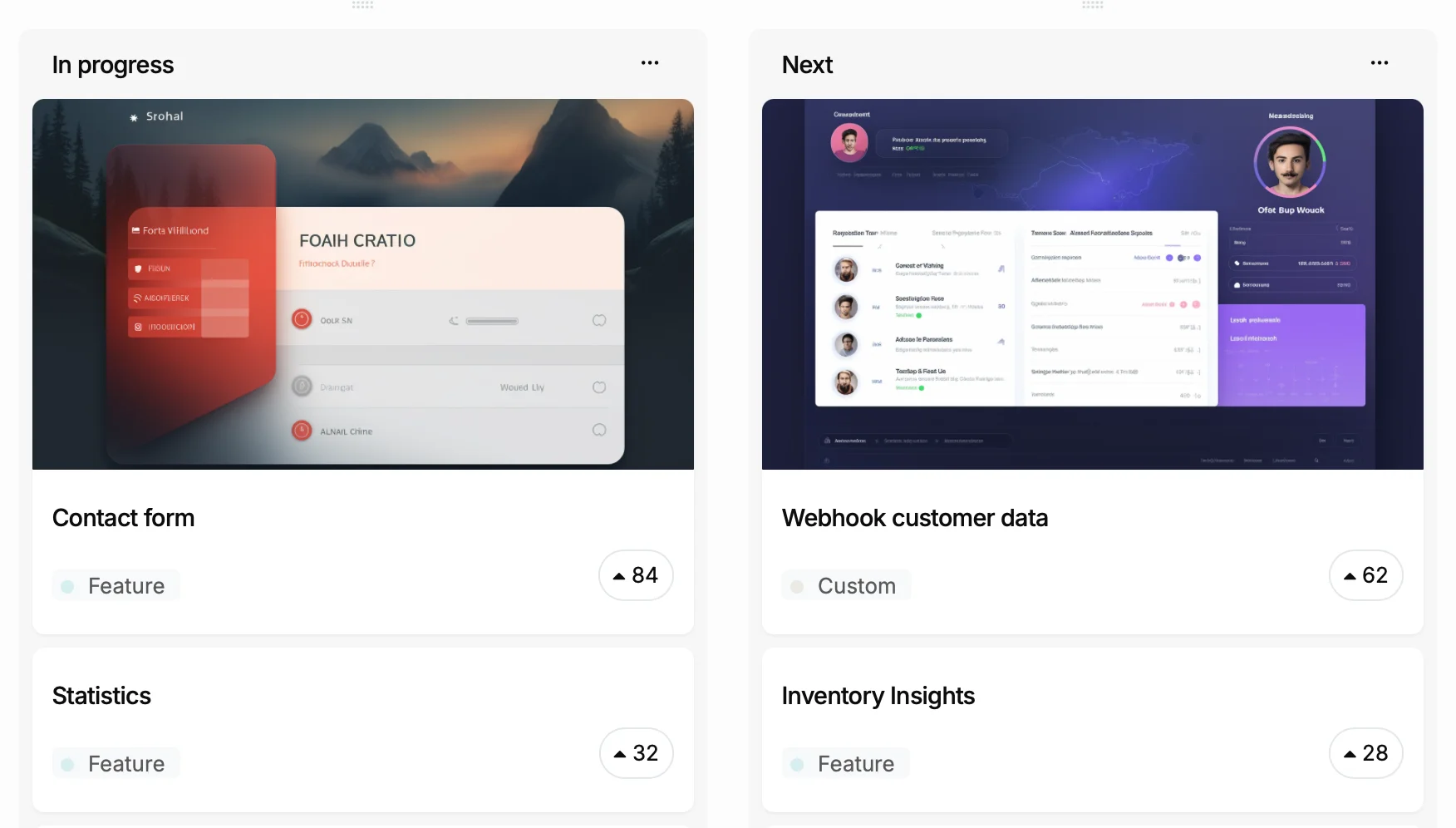
Roadmap with items in Now, Next, and Later columns
3

3. You Add It to Your Roadmap

Drag the post to your Roadmap board. The status changes to "Planned" or "Committed." Voters are notified again. The post now appears on both your feedback board (with its votes) and your public roadmap. Same post, same ID, no duplicate content.

4

4. Development Begins

Change the status to "In Progress." Voters are notified that work has started. If you use Jira, link the post to a Jira issue. Status changes sync both ways in 5 to 10 seconds via webhooks, so your developers never leave Jira and your customers always see current progress.

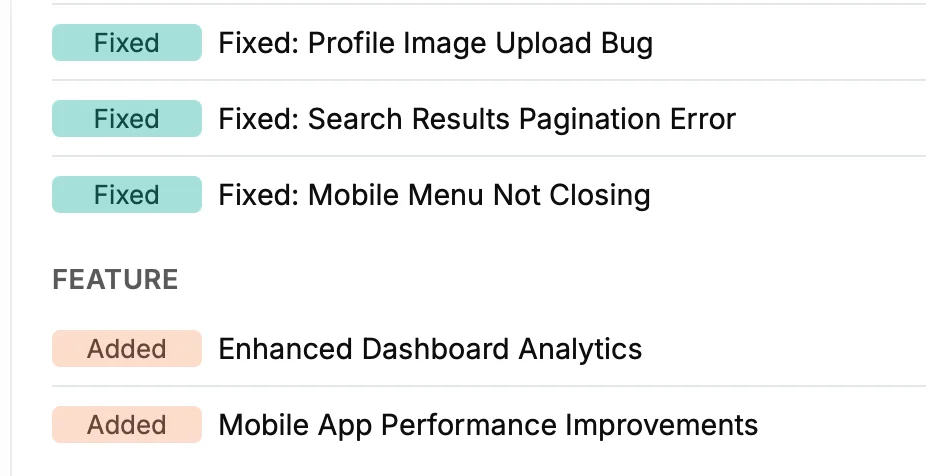
Changelog entry showing shipped feature
5

5. You Ship and It Becomes a Changelog Entry

Mark the post as "Shipped" and use the "Use for Changelog" comment to write a release note. The post moves to your Changelog board with a status of "Added," "Fixed," or "Improved." Every voter who asked for dark mode gets notified that it is live. The changelog entry links back to the original discussion.

6

6. Combine Multiple Items Into One Release

Shipped three related features this week? Use AI Changelog Summarization to combine multiple posts into a polished release note. The AI reads the posts, comments, and status history, then generates a summary that sounds like a product update, not a list of Jira tickets.

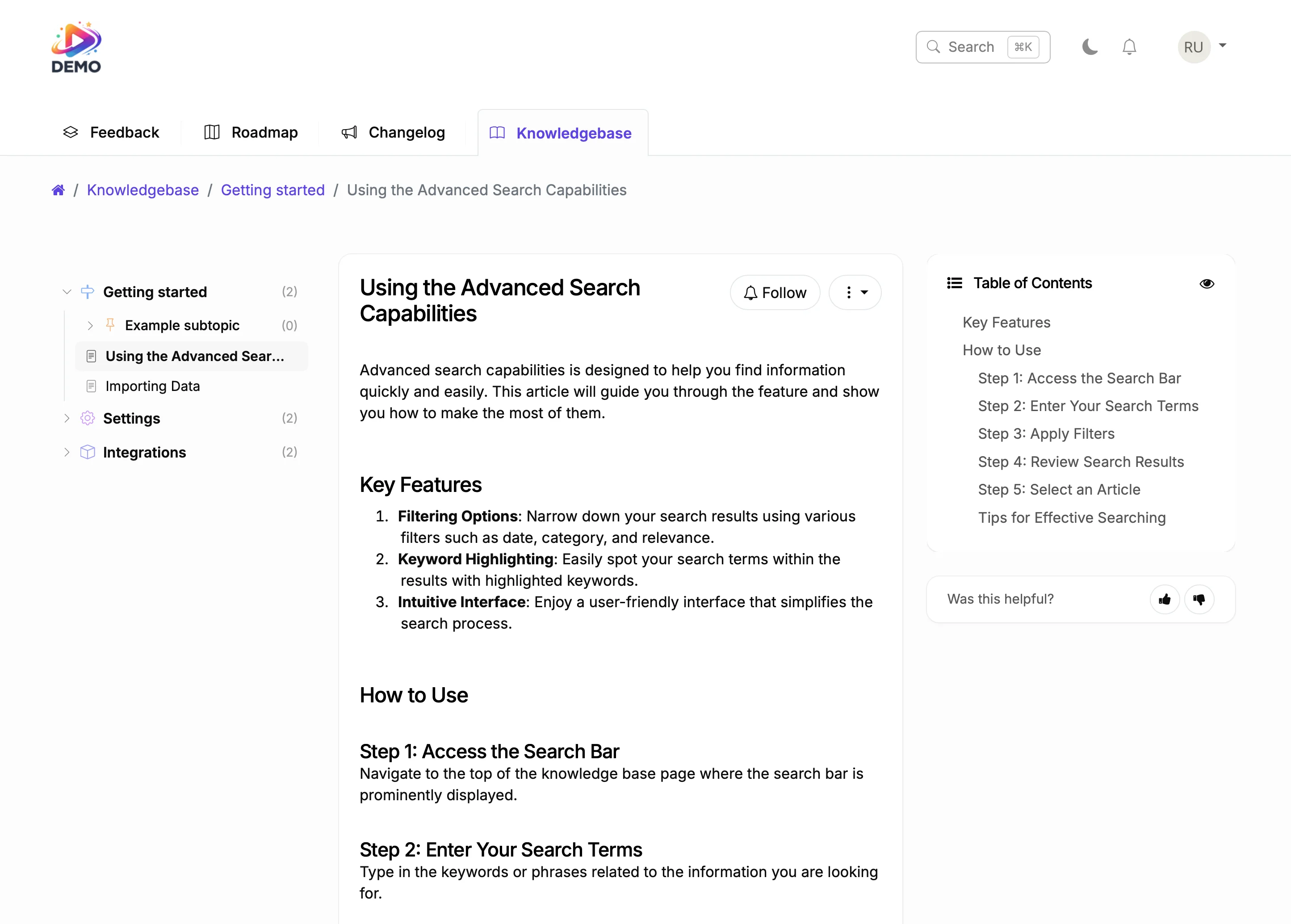
Knowledge base article generated from shipped feature
7

7. Generate a Knowledge Base Article

Click "Generate KB Article" on the shipped post. AI reads the feature description, changelog entry, and user comments, then drafts a help article. Edit it, publish it, and your knowledge base is automatically up to date. The full history of votes, comments, and status changes is preserved on the original post.

With and Without the Feedback Loop

Before

With ProductLift

Customer asks for a feature and never hears back
Customer gets notified at every status change from request to shipped
You ship a feature and hope people notice
Every voter who asked for it gets a notification the day it ships
Feedback, roadmap, and changelog are separate tools with separate data
One post travels through all four stages with full history preserved
Writing release notes takes hours of looking up what changed
AI summarizes the post history into a polished changelog entry
Knowledge base is always outdated because nobody updates it
KB articles are generated from shipped features with one click

Tools That Make the Loop Automatic

These features remove the manual work from closing the feedback loop.

Automatic Notifications

Every status change triggers email notifications to voters and followers. Choose who to notify: everyone, followers only, specific user groups, or nobody. Users can set their own notification preferences per post.

AI Changelog Summarization

AI reads the post title, description, comments, and status history, then generates a release note. Edit the draft or publish as is. Works for individual posts or combined multi-feature releases.

Git2Log for Developer Teams

Connect your Git repository and let ProductLift turn commits into changelog entries with AI. Commit messages become polished release notes. Link commits to feedback posts so the loop closes all the way to the code level.

AI KB Article Generation

Generate a knowledge base article from any shipped post. AI uses the feature description, changelog entry, and user discussion to draft documentation. Edit and publish in minutes instead of hours.

Jira Two-Way Sync

Link feedback posts to Jira issues. When your developer moves a Jira ticket to Done, the ProductLift post status updates automatically. Voters get notified without your product manager touching anything.

What's New Widget

Embed the What's New Mini widget in your app. Users see a notification bell with recent changelog entries. They click through to read the full update and see the original discussion that led to the feature.

Why Most Teams Fail at Closing the Loop

The feedback loop breaks when tools are disconnected. You collect feedback in one tool, plan in another, track development in a third, and write release notes in a fourth. By the time you ship, nobody remembers who asked for what, and nobody gets notified.

ProductLift solves this by keeping everything in one place. The post that started as a feature request on your feedback board is the same post that appears on your roadmap, becomes your changelog entry, and generates your KB article. There's no data to sync, no webhooks to maintain, and no manual step where the loop can break.

This is what makes ProductLift different from tools that only handle one piece of the lifecycle. Feedback tools collect requests. Roadmap tools display plans. Changelog tools announce updates. ProductLift connects all four stages into a single, continuous journey.

What Teams Say About Closing the Loop

Sebastian F.

Sebastian F.

Entrepreneur

This app will help you connect with your users and gather feedback like never before. The UI is clean and focused. The different pages and forms can be fully customized. Ruben is an amazing developer and entrepreneur with a proven track record. ProductLift is going places and you should get onboard.
Aaron Dye

Aaron Dye

An excellent product with equally excellent support! Everything just works, and when I had questions, the team was incredibly responsive.
Timothy M.

Timothy M.

Product Manager

This tool is literally a needle in a haystack. I was using Frill, and this doesn't even compare. The user interface, the way it lays out — so amazing. Also amazing support team!
Ben

Ben

Product Owner

Helped us quickly move away from our antiquated spreadsheet to a user-interactive system. User feedback is now collected in real-time. Support has been super speedy!
Marco

Marco

Based in Europe, ideal for privacy-conscious customer interaction. Constant improvements by Ruben together with thorough support make ProductLift a solid and future-proof choice.
Chris R.

Chris R.

Founder

By far the most customizable of all the feedback tools and much better than Feedbear. Developer is super responsive and support has been great. Highly recommend!

Feedback Loop FAQ

What is the Journey Model?

The Journey Model is how ProductLift handles the lifecycle of a post. A single post travels from Feedback board to Roadmap to Changelog to Knowledge Base. The same post ID, vote history, comments, and followers are preserved at every stage. Voters are notified at each transition automatically.

Do I have to use all four board types?

No. Most teams start with Feedback and Roadmap, then add Changelog when they want to announce updates. Knowledge Base is optional. Each board type works independently, but the real power comes from using them together so the loop is fully closed.

How do voters get notified when a status changes?

ProductLift sends email notifications to all voters and followers of a post whenever the status changes. You can control the notification scope per action: notify all users, only followers, specific user groups, or skip notifications entirely. Users can also manage their own per-post notification preferences.

Can I combine multiple feedback posts into one changelog entry?

Yes. Use AI Changelog Summarization to combine related posts into a single polished release note. The AI reads all the source posts and generates a summary. Each original post is still marked as Shipped and voters on each post are notified individually.

How does Git2Log work?

Connect your Git repository to ProductLift. When you push commits, Git2Log uses AI to convert commit messages into polished changelog entries. You can link commits to specific feedback posts so the changelog entry references the original request. This works especially well for developer-heavy teams who want changelog updates without manual writing.

What happens to the original feedback post when it becomes a changelog entry?

The post keeps its full history: all votes, comments, status changes, and follower subscriptions are preserved. Its status changes to Shipped (or Added/Fixed/Improved on the Changelog board). Users can still view the original discussion, and new users can comment on it. Nothing is lost or overwritten.

Close the Loop on Every Feature You Ship

From customer request to shipped feature, with automatic notifications at every step.

No credit card required · 14-day free trial · Full Journey Model on every plan · Cancel anytime