Guide

SaaS Content Strategy: Where Docs, Guides, and Blog Posts Actually Belong

Every SaaS company ends up with content scattered across a blog, help center, and marketing site. This guide introduces a three-layer model that eliminates overlap, prevents keyword cannibalization, and ensures every page has a clear job.

4.8 on G2
6,000+ teams
10 min read
Aaron Dye Timothy M. Ben Marco Chris R.
from 124+ reviews
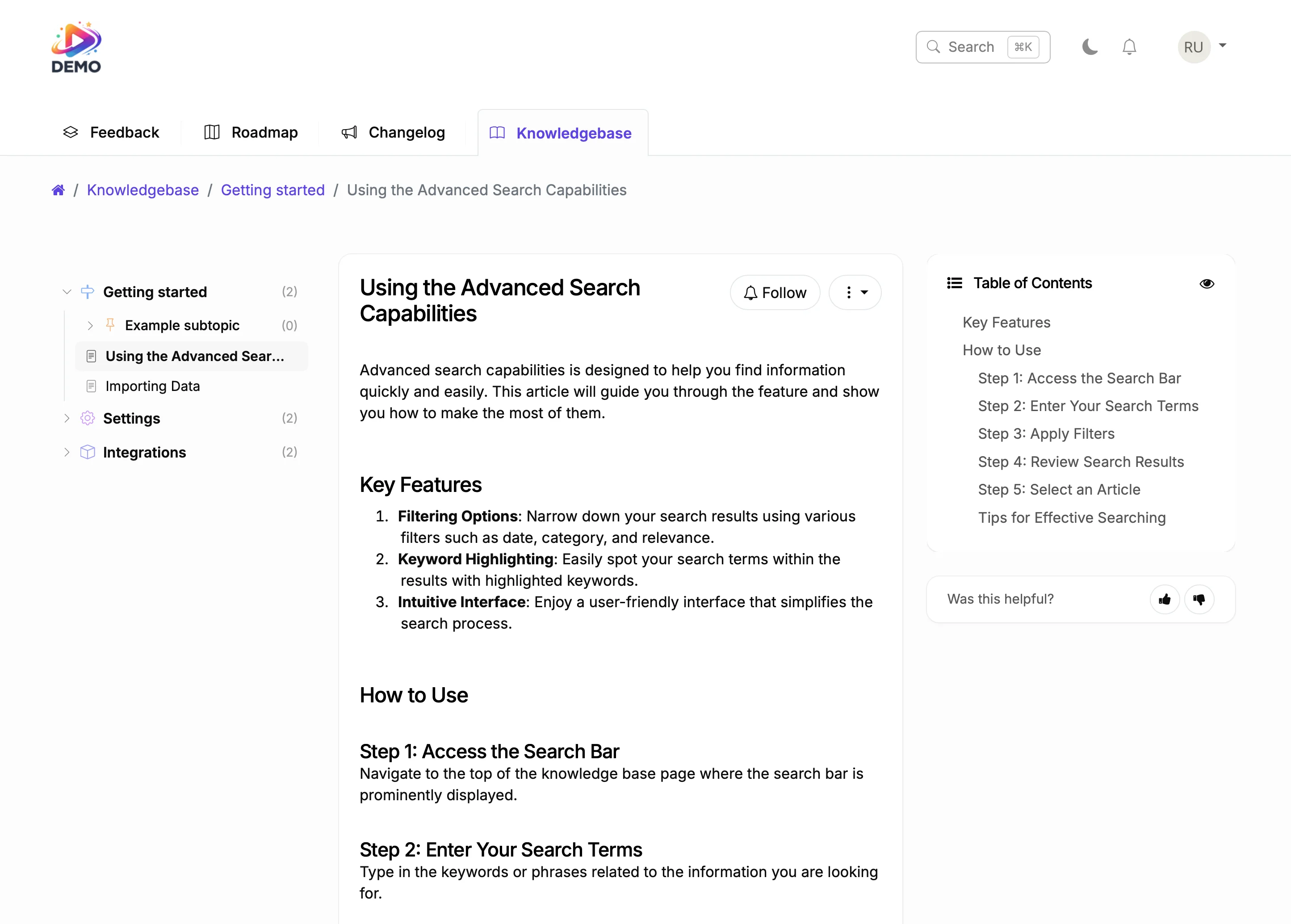
Knowledge base with organized articles and topic hierarchy

The Problem: Content Without a System

Most SaaS companies start writing content without a plan. Someone writes a blog post about "How to collect customer feedback." Later, a support person creates a help article called "Collecting feedback with [Product]." Then marketing makes a landing page targeting "customer feedback tool."

Now you have three pages competing for similar keywords, confusing Google about which one to rank, and confusing users about where to find what they need. This is keyword cannibalization, and it happens when content is organized by who created it instead of what job it does.

The fix is a three-layer model where each layer has a distinct purpose, a distinct audience, and a distinct type of search intent.

The Three-Layer Content Model

Each layer serves a different audience with a different intent.

Layer 1: Documentation (Knowledge Base)

Help articles and how-to guides for existing users. These answer "How do I..." questions. They target branded and product-specific keywords. Examples: "How to set up SSO in ProductLift," "Configuring custom statuses," "Importing posts from CSV." Your knowledge base is the home for this layer.

Layer 2: Strategy Guides

Best practices content for prospects and new users. These answer "What is the best way to..." questions. They target problem-aware keywords. Examples: "How to prioritize feature requests," "Closing the feedback loop," "10 ways to promote your feedback board." Landing pages or a /guides/ section is the home for this layer.

Layer 3: Blog Posts

SEO content for top-of-funnel awareness. These answer broad industry questions and capture search traffic from people who don't know your product yet. Examples: "What is a product roadmap," "Feature request template," "Best feedback tools 2026." Your blog is the home for this layer.

What Goes Where: Concrete Examples

The three-layer model works because each layer targets a different search intent. Here's how to decide where content belongs.

Documentation (Knowledge Base): Any content that requires your product to make sense. "How to merge duplicate posts" only matters if you use ProductLift. "Setting up Stripe integration" is a product-specific task. "Configuring email notifications" is a step-by-step procedure. All of these go in your knowledge base.

Strategy Guides: Any content that teaches a best practice and positions your product as the solution. "How to respond to feature requests" is useful even without ProductLift, but the guide naturally shows how ProductLift makes it easier. "How to close the feedback loop" is a strategic concept that prospects search for. The guide educates them and shows your product in context.

Blog Posts: Any content targeting broad keywords where the reader might not know your product exists. "What is a product roadmap" captures people researching the concept. "Best changelog tools" captures people comparing solutions. "Feature request email template" captures people solving a specific problem. The blog introduces them to your world.

With and Without a Content Strategy

Before

With ProductLift

Three pages competing for "how to collect feedback"
Blog targets the broad keyword, guide covers the strategy, KB explains your product setup
Users search your help center and find marketing content
Knowledge base contains only product documentation; guides live separately
Blog posts try to do everything: teach, convert, and document
Blog attracts traffic, guides convert prospects, docs retain users
Content is organized by who wrote it (marketing vs. support)
Content is organized by what job it does for the reader

How to Avoid Keyword Cannibalization

Cannibalization happens when two pages on your site target the same keyword with the same intent. Google doesn't know which to rank, so it often ranks neither well.

Rule 1: Different intent per layer. Your blog post on "feature prioritization" targets someone learning the concept. Your guide on "how to prioritize feature requests" targets someone ready to apply a method. Your KB article on "using RICE scoring in ProductLift" targets an existing user. Same topic, three different intents, three different keywords.

Rule 2: Link between layers. Your blog post links to your guide for readers who want to go deeper. Your guide links to your KB articles for readers who are ready to implement. Your KB links to guides for context. This internal linking structure tells Google which page serves which intent.

Rule 3: One primary keyword per page. Before publishing, search your own site for the target keyword. If another page already targets it, either merge the content or differentiate the angle. Two pages targeting "feedback board best practices" will always cannibalize each other.

Recommended Site Structure for SaaS

Here is a practical URL structure that maps to the three-layer model.

/blog/ for SEO content and thought leadership. Published regularly. Targets broad, high-volume keywords.

/guides/ for strategic best-practices content. Published occasionally, updated over time. Targets problem-aware, mid-funnel keywords.

Knowledge Base (hosted separately or on subdomain): Product documentation. Updated whenever features change. Targets branded and product-specific keywords.

Landing pages (/, /features, /pricing, /integrations): Conversion pages. These aren't content in the traditional sense. They are designed to convert visitors who already understand what they need.

This structure works whether you have 10 pages or 1,000. The key is that every piece of content has one home, and that home tells both Google and your readers what to expect.

How ProductLift Helps with Content Organization

Built-in tools for managing each content layer.

Knowledge Base for Documentation

ProductLift's Knowledge Base board lets you create help articles with unlimited topics and subtopics. Display as tiles or list view. Full search. AI Answers helps users find relevant articles. Custom domain support means your docs live on help.yoursite.com. AI generates articles from shipped changelog entries so documentation stays current.

Changelog for Product Updates

Your changelog is a content layer many teams overlook. Each changelog entry is a mini blog post about a shipped feature. AI Changelog Summarization writes polished entries from your post history. The What's New Widget embeds changelog updates inside your app. Git2Log turns commits into customer-facing release notes.

Feedback Board as Content Source

Your public feedback board is indexable content. Every post title and description adds keyword-rich pages to your site. User comments add long-tail content. This is user-generated content that grows your topical authority without any writing from your team.

The Content Lifecycle

A feature request on your feedback board becomes a roadmap item, then a changelog entry, then a KB article. Each stage creates content in a different layer with a different intent. One customer idea produces four pieces of content, each doing a distinct job.

What Teams Say About ProductLift

Sebastian F.

Sebastian F.

Entrepreneur

This app will help you connect with your users and gather feedback like never before. The UI is clean and focused. The different pages and forms can be fully customized. Ruben is an amazing developer and entrepreneur with a proven track record. ProductLift is going places and you should get onboard.
Aaron Dye

Aaron Dye

An excellent product with equally excellent support! Everything just works, and when I had questions, the team was incredibly responsive.
Timothy M.

Timothy M.

Product Manager

This tool is literally a needle in a haystack. I was using Frill, and this doesn't even compare. The user interface, the way it lays out — so amazing. Also amazing support team!
Ben

Ben

Product Owner

Helped us quickly move away from our antiquated spreadsheet to a user-interactive system. User feedback is now collected in real-time. Support has been super speedy!
Marco

Marco

Based in Europe, ideal for privacy-conscious customer interaction. Constant improvements by Ruben together with thorough support make ProductLift a solid and future-proof choice.
Chris R.

Chris R.

Founder

By far the most customizable of all the feedback tools and much better than Feedbear. Developer is super responsive and support has been great. Highly recommend!

Content Strategy FAQ

What is keyword cannibalization?

Keyword cannibalization happens when two or more pages on your site target the same keyword with the same search intent. Google struggles to determine which page is the best result, so it may rank neither one well. The fix is to ensure each page targets a distinct keyword or a distinct intent, and to consolidate pages that overlap.

Should my knowledge base be on a subdomain or a subfolder?

Subfolder (yoursite.com/help/) is better for SEO because it passes domain authority to the knowledge base pages. Subdomain (help.yoursite.com) works too and is easier to set up with hosted tools. ProductLift supports custom domains for your knowledge base, so you can use either approach.

How often should I publish strategy guides?

Quality matters more than frequency. One thorough guide per month is better than four thin ones. Strategy guides are evergreen content that you update over time, not time-sensitive posts. Focus on topics where you can provide genuine expertise and where your product naturally fits as a solution.

Can a public feedback board help with SEO?

Yes. Every public post on your feedback board is an indexable page with unique content. User-submitted feature requests and comments add long-tail keywords naturally. Over time, a public board with hundreds of posts creates significant topical authority around your product category.

How do I decide if something is a blog post or a guide?

Ask two questions. First, does it require hands-on knowledge of your product category? If yes, it's a guide. If it is more about general awareness or trends, it's a blog post. Second, would a prospect read it before signing up? Guides convert prospects. Blog posts attract visitors who might not be prospects yet.

How does the content lifecycle work in ProductLift?

A feature request starts as user-generated content on your feedback board. When you plan it, it appears on your public roadmap. When you ship it, AI generates a changelog entry. From the changelog, AI can generate a knowledge base article. One idea creates content across four layers, each with a different intent and different keywords.

Organize Your Content With ProductLift

Knowledge base, changelog, and feedback board. Three content layers in one platform.

No credit card required · 14-day free trial · Knowledge base included · Cancel anytime