Guide

How to Respond to Feature Requests Without Making Promises You Can't Keep

Your feedback board is filling up. Now what? This guide covers when to respond, how to say no gracefully, and how to use statuses as your primary communication tool so you never ghost a customer again.

4.8 on G2
6,000+ teams
12 min read
Aaron Dye Timothy M. Ben Marco Chris R.
from 124+ reviews
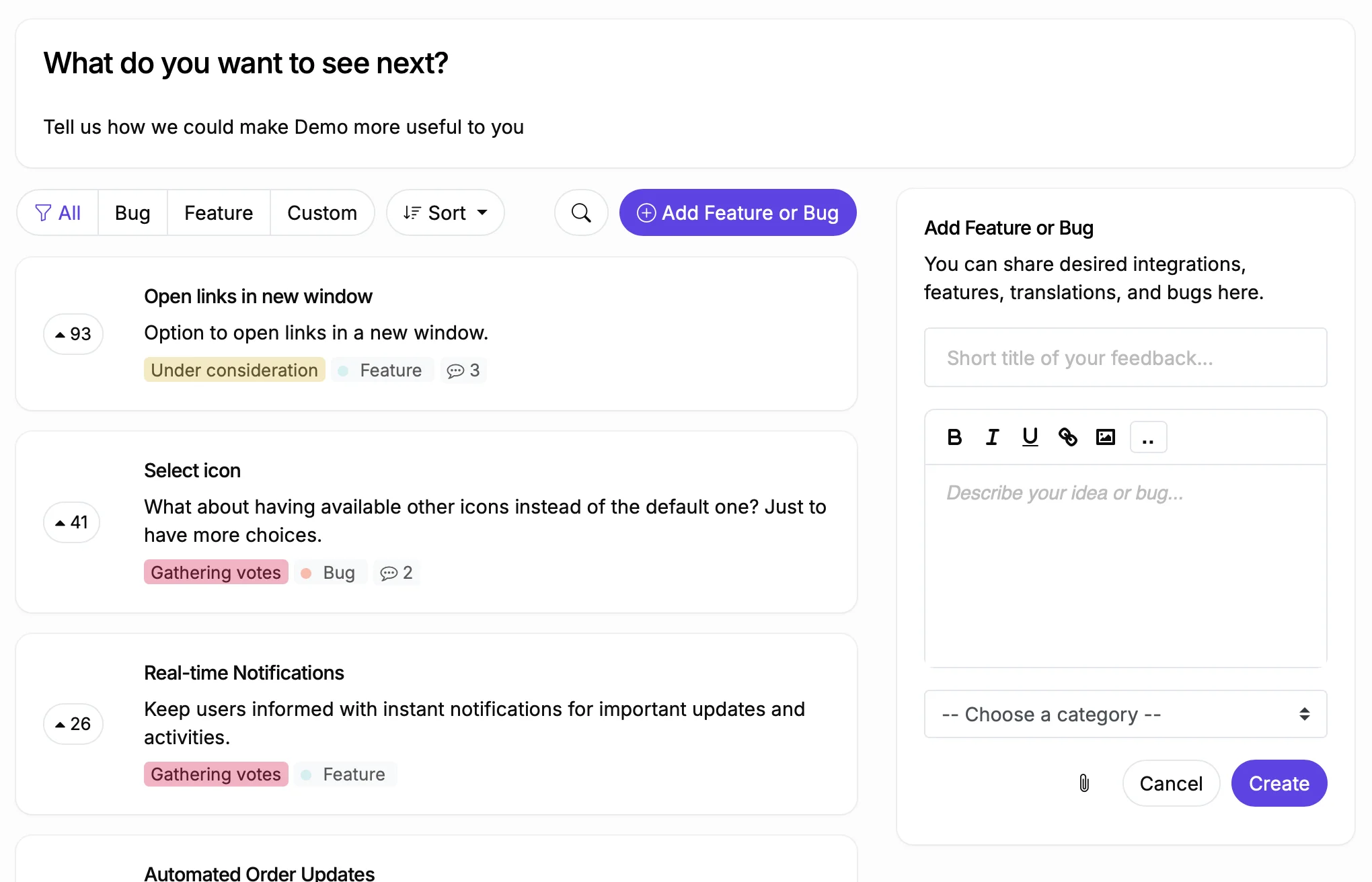
Feedback board with feature requests organized by status

The Golden Rule: Status Changes Are Your Best Response

Most product teams overthink responses to feature requests. They draft long replies explaining product strategy, technical constraints, and future plans. Then they burn out and stop responding entirely.

Here is a better approach: let your statuses do the talking. When you move a post from "Gathering Votes" to "Under Consideration," every voter gets notified. That notification says more than a paragraph of explanation. It says "We saw this. We are thinking about it."

Save your written responses for two situations: when you need to ask a clarifying question, and when you need to explain why you are declining something. For everything else, a status change is enough.

Response Strategies by Situation

Practical approaches for every type of feature request.

When You Need More Context

Post a public comment asking for specifics: "Can you describe the workflow where you need this?" or "What are you using as a workaround today?" Good questions generate answers that help you design the right solution. Other voters often chime in with their own context, making the thread more valuable.

When You Want to Discuss Internally First

Use Internal Comments to have a team discussion that users can't see. Tag team members to get input from engineering, design, or sales. Once you have alignment, change the status or post a public reply. Internal comments keep the decision making process private while the outcome stays transparent.

When You Plan to Build It

Change the status to "Planned" or "Under Consideration." That single action notifies every voter. If you want to add context, a short comment works: "We are planning this for Q3. Moving to Planned." Don't commit to specific dates unless you are confident. Statuses like "Next" and "Later" communicate priority without deadlines.

When You Need to Say No

Change the status to "Won't Do" and add a brief explanation. Be honest and specific: "This conflicts with our focus on simplicity" or "The technical cost is too high for the number of users affected." Users respect a clear no more than silence. Use an Unlisted status if you want the post hidden from the main board view after declining.

When It Is a Duplicate

Use ProductLift's Merge feature to combine duplicate posts. All votes and followers from the merged post transfer to the original. The merge is irreversible, so check that the posts are truly duplicates. AI Auto-Moderation can flag potential duplicates automatically before they accumulate separate vote counts.

When You Already Shipped It

Change the status to "Shipped" or "Added" and point to the changelog entry or documentation. Voters get notified that their request was delivered. This is the most satisfying response you can give because it closes the loop completely. Link to the KB article if you have one.

Response Templates You Can Copy

Asking for clarification: "Thanks for the suggestion. Can you walk us through the specific workflow where you need this? Understanding your use case helps us design the right solution."

Moving to Under Consideration: "We have been seeing demand for this. Moving it to Under Consideration so our product team can evaluate it against our current priorities. Everyone who voted will be notified when we make a decision."

Committing to build: "Great news: we are adding this to our roadmap. Moving to Planned. We will update this post as we make progress, and everyone who voted will be notified when it ships."

Saying no gracefully: "We appreciate the thoughtful request. After discussion, we have decided not to pursue this because [specific reason]. We understand this is disappointing. If your needs change or you find a different angle, feel free to submit a new request."

Merging a duplicate: "This is a great idea and we have seen other users ask for something similar. We are merging this with [link to original post] so all votes are counted together. You'll stay subscribed to updates on the original post."

Bulk Operations for Board Cleanup

When you have hundreds of posts to manage, these tools save hours.

Bulk Status Change

Select 2 to 500 posts and change their status at once. Perfect for moving an entire category to "Under Consideration" after a planning meeting, or archiving old requests that are no longer relevant.

Bulk Tag and Categorize

Add or remove tags and assign categories to multiple posts at once. Use this after importing feedback from a CSV when posts need organizing, or when you introduce new categories and need to recategorize existing posts.

Bulk Assign

Assign a team member to multiple posts at once. When a new engineer joins, assign them their area of the backlog. When someone goes on leave, reassign their posts to a teammate.

What Changes When You Respond Consistently

Before

With ProductLift

Users submit feedback and never hear back
Every post gets a status change within a week, and voters are notified
Your team writes long individual responses to every request
Status changes do the heavy lifting; written responses only when needed
Duplicate posts fragment votes across separate threads
Duplicates are merged and all votes consolidated automatically
Declined requests sit in limbo forever
Clear "Won't Do" status with explanation; unlisted to keep the board clean

What Teams Say About ProductLift

Sebastian F.

Sebastian F.

Entrepreneur

This app will help you connect with your users and gather feedback like never before. The UI is clean and focused. The different pages and forms can be fully customized. Ruben is an amazing developer and entrepreneur with a proven track record. ProductLift is going places and you should get onboard.
Aaron Dye

Aaron Dye

An excellent product with equally excellent support! Everything just works, and when I had questions, the team was incredibly responsive.
Timothy M.

Timothy M.

Product Manager

This tool is literally a needle in a haystack. I was using Frill, and this doesn't even compare. The user interface, the way it lays out — so amazing. Also amazing support team!
Ben

Ben

Product Owner

Helped us quickly move away from our antiquated spreadsheet to a user-interactive system. User feedback is now collected in real-time. Support has been super speedy!
Marco

Marco

Based in Europe, ideal for privacy-conscious customer interaction. Constant improvements by Ruben together with thorough support make ProductLift a solid and future-proof choice.
Chris R.

Chris R.

Founder

By far the most customizable of all the feedback tools and much better than Feedbear. Developer is super responsive and support has been great. Highly recommend!

Responding to Feedback FAQ

How quickly should I respond to new feature requests?

Aim to triage new posts within one week. Triage doesn't mean committing to build something. It means changing the status to something other than the default. "Under Consideration" or "Gathering Votes" signals that you have seen it. Users who receive no acknowledgment within two weeks are unlikely to submit again.

Should I respond to every single post?

You should triage every post with a status change, but you don't need to write a comment on every one. Posts with zero votes after a month can be moved to an Unlisted status quietly. Posts with active discussion deserve a written response. Focus your writing time on high vote posts and posts where the user asked a specific question.

How do internal comments work?

Internal comments are visible only to your team members (admins and moderators). Users never see them. Use them to discuss feasibility, get engineering input, or note why a decision was made. They are attached to the post, so the context stays with the request forever.

What is an Unlisted status?

An Unlisted status hides the post from the main board view but keeps it accessible via direct link. Use it for declined, duplicate, or irrelevant posts that you don't want to delete. The post history, votes, and comments are all preserved. Users who have the direct link can still see the post.

How do I notify users when I respond?

Status changes trigger automatic email notifications to all voters and followers of a post. You can also choose notification scope: notify all users, only followers, specific user groups, or nobody. Comments on posts notify followers automatically. You control the notification settings per action.

Can I customize notification emails?

Yes. ProductLift supports customizable email templates. You can adjust the copy, branding, and layout of notification emails so they match your brand voice and visual identity.

Start Responding to Feedback the Right Way

Set up statuses, internal comments, and notifications in minutes.

No credit card required · 14-day free trial · Unlimited voters on every plan · Cancel anytime