7 Best Release Notes Tools in 2026

Most release notes tools only do changelog. This guide compares tools that connect release notes to feedback, roadmap, and automatic voter notifications.

Ruben Buijs Ruben Buijs February 2026 14 min read
Last updated: February 2026
7 tools reviewed in depth
Auto-notification features compared

Why This Guide is Different

Every "best release notes tools" list reads the same: feature bullets, star ratings, and a winner the author was paid to promote. This guide takes a different approach.

We focus on the workflow question most teams struggle with. How do I publish release notes quickly? And how do I make sure the right people see them?

What makes this comparison useful:

Disclosure: We built ProductLift, and its changelog is on this list. We'll be transparent about where standalone release notes tools outperform our built-in changelog, and where our integrated approach saves teams hours every week.

Quick Picks

Best Overall (Release Notes + Feedback)ProductLift -- Changelog connected to feedback and roadmap via journey model. Ship a feature, voters get notified automatically. $14/mo.
Best Standalone Release NotesBeamer -- Beautiful announcements, in-app widgets, segmentation, modal popups. $49-99/mo.
Best Free OptionHeadway -- Free tier for basic changelog. But G2 score is 3.0/5, which raises questions.
Best AI-PoweredOlvy -- AI generates release notes from Slack conversations and support tickets. $29+/mo.

Must-Have Features in a Release Notes Tool

Before we review each tool, here is what separates a genuinely useful release notes tool from a glorified blog:

Publishing Speed

If publishing a release note takes more than 5 minutes, you will skip updates. The best tools let you create and publish in under 2 minutes -- ideally auto-generating content from features you have already described on your roadmap.

Distribution That Reaches Users

The uncomfortable truth: almost nobody visits your changelog page voluntarily. Effective release notes tools deliver updates where users already are:

Feedback Connection

This is the feature most release notes tools completely miss. When you ship a feature that 200 people voted for, those 200 people should be notified automatically. Without this connection, you are manually emailing customers every time you ship -- or worse, they never find out you built what they asked for.

Multi-Language Support

If you serve international customers, your release notes need to speak their language. English-only release notes exclude a large portion of your user base from understanding what you shipped.

Custom Branding

Release notes represent your product. They should live on your domain (updates.yourcompany.com), match your design, and feel like a native part of your product -- not a third-party tool.

Tool Reviews

1. ProductLift -- Best Release Notes Connected to Feedback

G2 Rating: 5.0/5 | Price: $14/mo per admin (unlimited users) | Free trial: 14 days

Best for: SaaS teams who want release notes that automatically notify voters when features ship

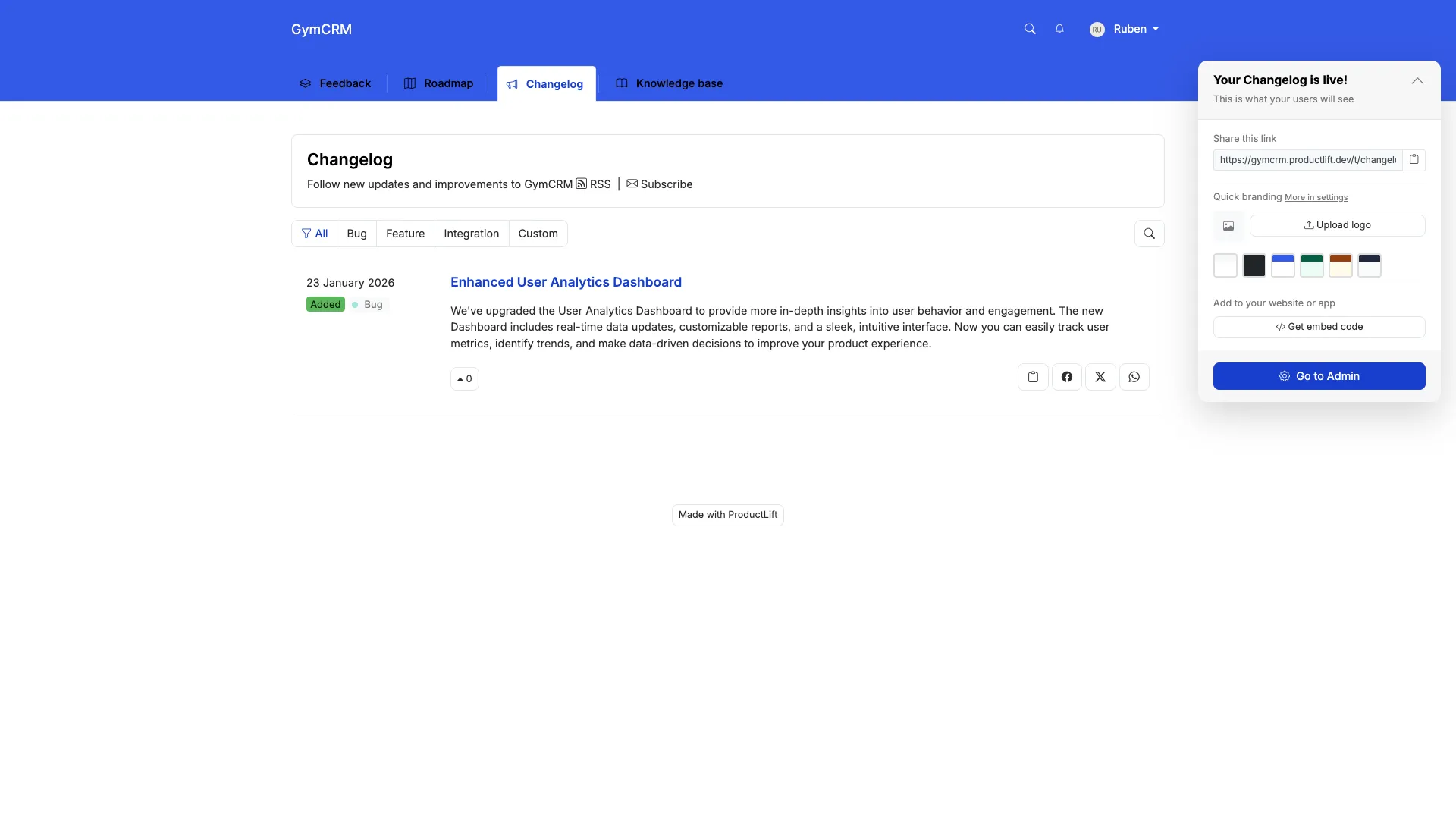
ProductLift changelog and release notes

ProductLift approaches release notes differently than every other tool on this list. Instead of treating changelog as a standalone publishing tool, release notes are the final step in a journey model: Feedback --> Roadmap --> Changelog.

Here is what that means in practice: a customer requests a feature. 200 other customers vote on it. You move it to your roadmap. When you ship it and mark it as complete, ProductLift automatically creates a changelog entry and notifies every voter by email. No manual work. No forgotten notifications.

What ProductLift Does Well

The 30-Second Workflow

Traditional release notes workflow using standalone tools:

  1. Mark feature as shipped in your roadmap tool (Productboard, Aha!)
  2. Open your changelog tool (Beamer, Headway)
  3. Rewrite the feature description as a release note
  4. Manually email customers who requested the feature
  5. Update help docs if needed

Time: 20-30 minutes per feature. Ship 4 features per week and you lose 2 hours to busywork.

ProductLift workflow:

  1. Mark feature as Shipped on roadmap
  2. Done. Changelog entry auto-created, voters auto-notified, KB article optionally generated.

Time: 30 seconds.

Where ProductLift Falls Short

Pricing

Best for: SaaS teams who ship weekly and want release notes connected to their feedback loop. The auto-notify feature alone saves hours every month.

Not ideal for: Teams who only need a beautiful standalone changelog without feedback or roadmap features.

Try ProductLift Free

2. Beamer -- Best Standalone Release Notes Tool

G2 Rating: 4.5/5 | Price: $49/mo (Starter, 5,000 MAU), $99/mo (Pro) | Free trial: 14 days

Best for: SaaS teams who need polished release notes with advanced segmentation and modal popups

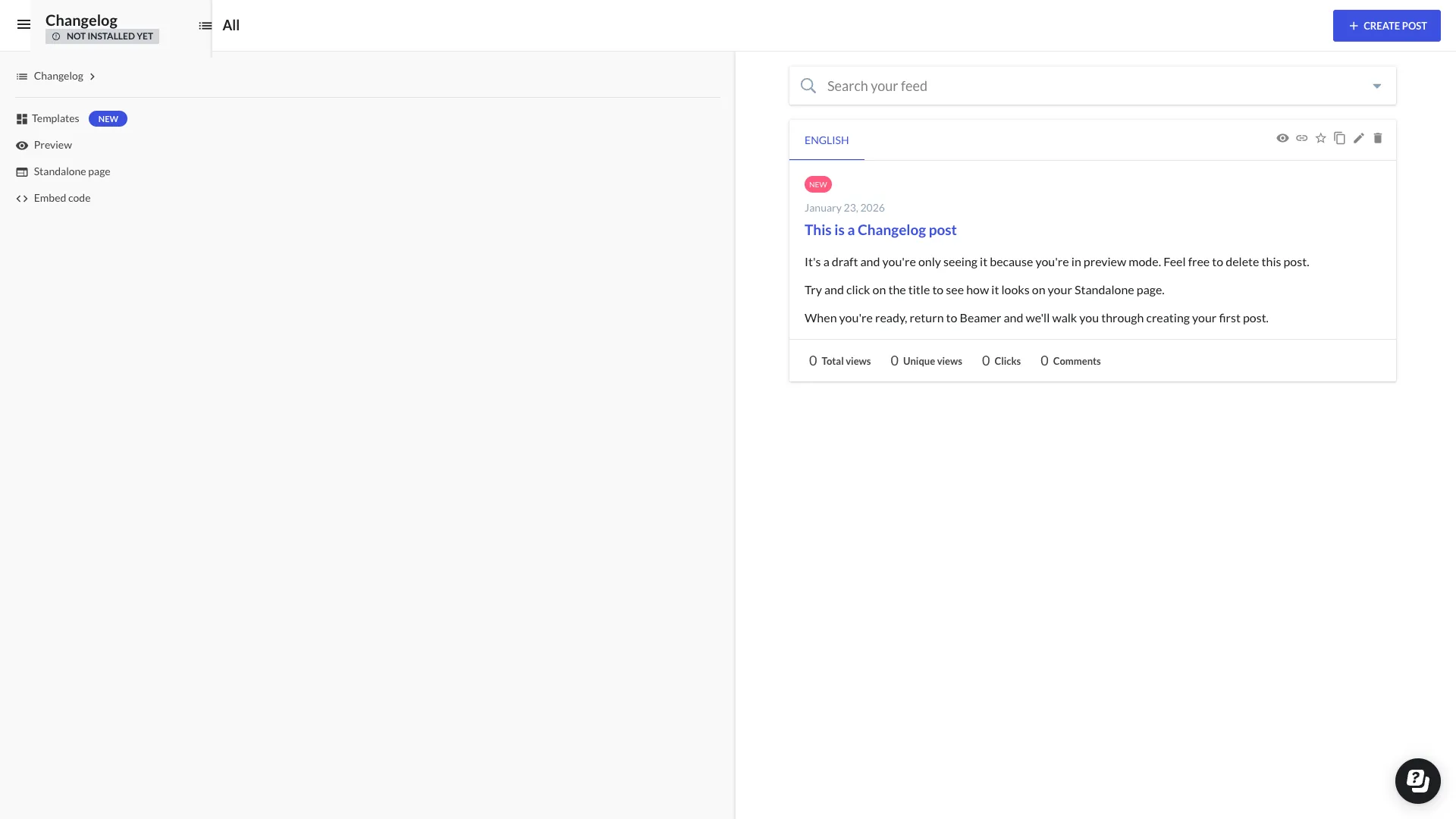
Beamer changelog interface

If you only need release notes -- no feedback boards, no roadmap, no knowledge base -- Beamer is the tool most teams reach for. It does one thing and does it well: beautiful product announcements that reach users through multiple channels.

What Beamer Does Well

Where Beamer Falls Short

Pricing

Best for: Growth SaaS teams ($500K+ ARR) who already have feedback and roadmap tools and want a polished standalone changelog with advanced distribution features.

Not ideal for: Teams wanting an integrated solution, or anyone wanting automatic voter notifications when features ship.

3. AnnounceKit -- Best Multi-Channel Distribution

G2 Rating: 4.6/5 | Price: $49/mo (Starter) | Free trial: 15 days

Best for: Teams needing release notes distributed across email, in-app, Slack, and social media simultaneously

AnnounceKit focuses on distribution: write one release note, publish it across multiple channels. If your primary concern is making sure every user sees your updates regardless of where they are, AnnounceKit handles that well.

What AnnounceKit Does Well

Where AnnounceKit Falls Short

Best for: SaaS teams with multi-channel distribution needs and budget for $49-150/mo on release notes alone.

Not ideal for: Teams needing simple release notes or integrated feedback/roadmap.


4. LaunchNotes -- Best for Release Communication Strategy

G2 Rating: 4.5/5 | Price: $49+/mo | Free trial: 14 days

Best for: Product marketing teams who need subscriber management and release communication workflows

LaunchNotes positions itself as a release communication platform rather than just a changelog tool. It focuses on subscriber management, helping you build an audience for your product updates.

What LaunchNotes Does Well

Where LaunchNotes Falls Short

Best for: Product marketing teams at mid-sized SaaS companies who treat release communication as a strategic activity.

Not ideal for: Engineering teams wanting quick, simple release notes.

5. Headway -- Best Free Release Notes Tool

G2 Rating: 3.0/5 (low) | Price: Free tier, paid from $19/mo

Best for: Pre-revenue startups who need basic release notes with zero budget
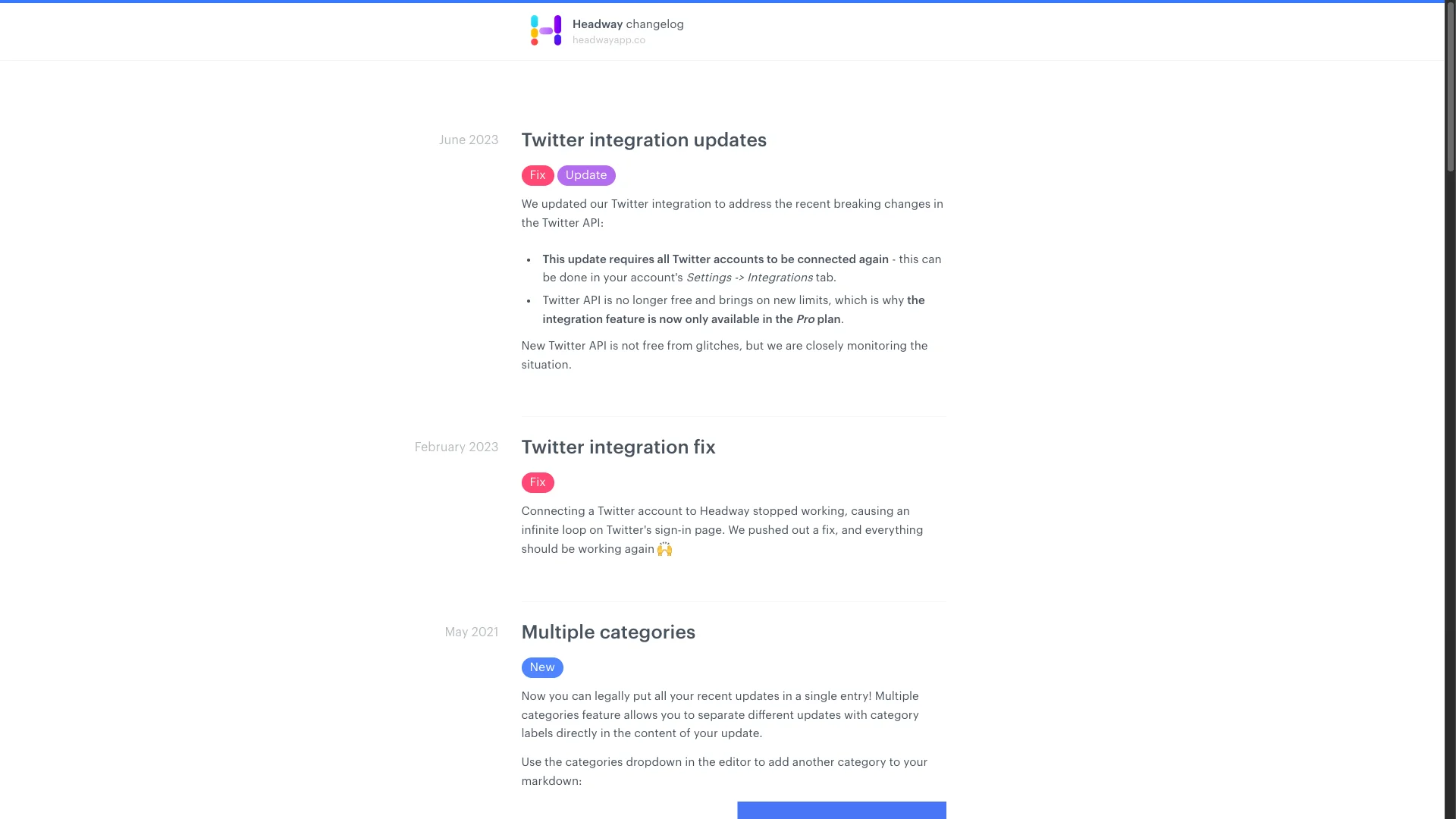
Headway feedback board screenshot

Headway is the most basic option on this list. It offers a free tier for simple changelog publishing, which makes it the default choice for bootstrapped startups with no budget for release notes tools.

What Headway Does Well

Where Headway Falls Short

Best for: Startups with literally $0 budget who need something -- anything -- for release notes.

Not ideal for: Any team that has grown past the earliest stage. Most teams outgrow Headway within 3-6 months.


6. ReleaseNotes.io -- Simple and Affordable

Price: $29+/mo | Free trial: Available

Best for: Small teams wanting a straightforward, no-frills release notes page

ReleaseNotes.io is exactly what the name says: a simple tool for publishing release notes. No bells, no whistles, no complexity.

What ReleaseNotes.io Does Well

Where ReleaseNotes.io Falls Short

Best for: Small teams who want a clean release notes page without paying Beamer prices.

Not ideal for: Teams needing distribution, analytics, or feedback integration.


7. Olvy -- Best AI-Powered Release Notes

Price: $29+/mo | Free trial: Available

Best for: Teams wanting AI to draft release notes from Slack conversations and support tickets

Olvy leans heavily into AI. It monitors your Slack channels, support tickets, and internal conversations, then uses AI to draft release notes from what your team is already discussing. The idea is compelling: stop writing release notes manually.

What Olvy Does Well

Where Olvy Falls Short

Best for: Teams already using Slack heavily who want AI to reduce the manual work of writing release notes.

Not ideal for: Teams needing proven, reliable release notes with advanced distribution or feedback integration.

Feature Comparison Table

How all 7 release notes tools compare on the features that matter most:

Feature ProductLift Beamer AnnounceKit LaunchNotes Headway ReleaseNotes.io Olvy
Changelog/Release Notes
In-App Widget⚠️ Basic⚠️ Basic
Email Notifications✅ Auto⚠️ Basic⚠️ Basic
Feedback Collection✅ Built-in⚠️ Comments⚠️ AI analysis
Public Roadmap
Voting
AI Generation
Segmentation✅ Advanced✅ Advanced⚠️ Basic
Analytics⚠️ Basic✅ Advanced✅ Advanced⚠️ Basic
Multi-Language✅ (22)
White-Label⚠️ Paid

Pricing Comparison

What you will actually pay at different team sizes. "Starting at" prices are misleading -- here is the reality:

Tool Solo Admin 3 Admins 10 Admins Includes Feedback/Roadmap?
ProductLift$14/mo$42/mo$140/moYes (all included)
Beamer$49/mo$99/mo$249/moNo (changelog only)
AnnounceKit$49/mo$49/mo$99+/moNo (changelog only)
LaunchNotes$49/mo$49/mo$99+/moNo (changelog only)
HeadwayFree$19/mo$19/moNo (changelog only)
ReleaseNotes.io$29/mo$29/mo$49+/moNo (changelog only)
Olvy$29/mo$49/mo$99+/moNo (AI analysis only)

Hidden cost alert: Standalone release notes tools still need separate feedback ($79-200/mo) and roadmap ($49-200/mo) tools. Total stack cost: $177-500+/mo. ProductLift includes all of these for $14-140/mo.

Decision Framework: Which Release Notes Tool Should You Choose?

Step 1: Do You Need Just Release Notes, or the Full Loop?

Just release notes: If you already have feedback and roadmap tools you love, choose a standalone option. Beamer for polished announcements, AnnounceKit for multi-channel distribution, Headway if budget is zero.

Full feedback-to-release-notes loop: ProductLift is the only tool that handles feedback, roadmap, and changelog with automatic voter notifications natively.

Step 2: What is Your Budget?

$0/mo: Headway free tier. Basic but functional. Expect to outgrow it.

$14-42/mo: ProductLift (1-3 admins). Release notes + feedback + roadmap + KB included.

$29-49/mo: ReleaseNotes.io, Olvy, or AnnounceKit for standalone changelog.

$49-99/mo: Beamer for polished standalone release notes with advanced features.

$99-249/mo: Beamer Scale or AnnounceKit premium for enterprise release communication.

Step 3: What Distribution Matters Most?

In-app widget priority: Beamer (best widgets) > ProductLift > AnnounceKit > Headway

Email notification priority: AnnounceKit > Beamer > ProductLift (auto-notify voters) > LaunchNotes

Multi-channel (email + Slack + social): AnnounceKit > Beamer > LaunchNotes

Auto-notify voters: ProductLift (only option)

Step 4: Specific Scenarios

"I ship 4+ features per week"ProductLift. The auto-create workflow saves 20+ minutes per feature.
"I need beautiful announcements"Beamer. Best-looking release notes with modal popups and NPS.
"I serve international users"ProductLift (22 languages) or Beamer. Most others are English-only.
"I want AI to write my release notes"Olvy (from Slack/tickets) or ProductLift (from shipped features).
"I have $0 budget"Headway free tier. But upgrade to ProductLift ($14) as soon as budget allows.
"Voters need to know when I ship"ProductLift. Only tool with automatic voter notification on ship.

Release Notes FAQ

What is the difference between release notes and a changelog?

In practice, they mean the same thing for SaaS companies. Release notes is the traditional term from software with versioned releases (v2.1, v3.0). Changelog is the modern SaaS term for continuous updates. The tools reviewed here handle both formats. Some teams use 'release notes' for major features and 'changelog' for all updates including minor fixes.

How often should I publish release notes?

Whenever you ship something customers will notice. SaaS teams shipping weekly typically publish 2-4 entries per week. Monthly shippers publish 4-8 per month. The key rule: if you told your support team about it, it deserves a release note. Do not bundle too many updates into one entry -- customers prefer frequent, focused updates over monthly mega-posts.

Should I auto-notify all customers about every release note?

No. Use segmentation. Major new features deserve email to everyone. Minor improvements can stay in the in-app widget. Plan-specific features should only notify relevant users. Bug fixes usually do not need notification unless it was a widely reported issue. Over-notifying trains customers to ignore your updates entirely.

Can I connect release notes to my feedback and roadmap?

Only ProductLift does this automatically through its journey model. When you mark a roadmap item as shipped, a changelog entry is created and all voters are notified. Canny has a manual linking option. All other tools on this list (Beamer, AnnounceKit, LaunchNotes, Headway, ReleaseNotes.io, Olvy) treat release notes as a standalone publishing tool with no feedback connection.

What makes a good release note?

Structure each entry as: Feature Name, what it does, why it matters. Example: 'Bulk Actions -- Select multiple items and update status at once -- Save 10+ clicks when triaging feedback.' Use plain language, not Jira-speak. Add screenshots or GIFs. Explain the benefit, not just the feature. Keep each entry under 100 words. ProductLift's AI can generate a first draft from your feature description.

Should release notes be public or require login?

Public. Modern SaaS companies publish release notes at updates.yourcompany.com without requiring login. Benefits include SEO value, transparency, and prospects seeing that you ship frequently. The only exception is enterprise SaaS with strict security requirements that may restrict to customers only. All tools reviewed support public release notes.

How do I get customers to actually read release notes?

In-app widgets get 10-100x more views than email newsletters. Modal popups (Beamer, AnnounceKit) get 3-5x more engagement than passive widgets. Auto-notifying voters who requested specific features (ProductLift) gets the highest open rates because the notification is personally relevant. Do not rely on customers visiting your changelog page voluntarily -- bring release notes to them.

Is it worth paying for a release notes tool or should I use my blog?

If you ship weekly or more, use a dedicated tool. Blog posts take 30+ minutes to write and publish. Release notes tools take 2-5 minutes. Blogs also lack in-app notifications, segmentation, and analytics. A DIY blog works for very early-stage startups under $50K ARR, but you will outgrow it. Start with Headway free or ProductLift at $14/mo instead of building a custom solution.

Can I migrate from one release notes tool to another?

Most tools support CSV export and API-based migration. ProductLift offers free migration assistance -- send your export and the team handles the import including votes and user data. Typical migration takes 2-4 hours for 50-100 entries. Focus on migrating the last 6-12 months of entries; older release notes rarely get revisited.

What is the real cost of using separate tools for feedback, roadmap, and release notes?

A typical stack of separate tools costs $177-500/mo: Beamer for release notes ($49-99), Canny for feedback ($19-79+), and a roadmap tool ($49-200). You also spend 15-30 minutes per feature manually recreating content across tools. ProductLift replaces all three for $14-140/mo and eliminates the manual copy-paste workflow. For a team shipping 4 features per week, the time savings alone are worth the switch.

Related Comparison Guides

Explore more tool comparisons to find the right software for your team:

Browse all comparison guides

Ship Features. Auto-Notify Voters. Done.

ProductLift connects release notes to your feedback and roadmap. Mark a feature as shipped and voters are notified automatically. No manual work, no forgotten updates.

No credit card required · 14-day free trial · Auto-notify voters when you ship · Release notes + feedback + roadmap included