Create organized documentation with AI-powered content creation and intelligent search. Users find answers on their own instead of opening tickets. Set up your knowledge base in minutes.
Before
With ProductLift
From blank page to published knowledge base in three steps
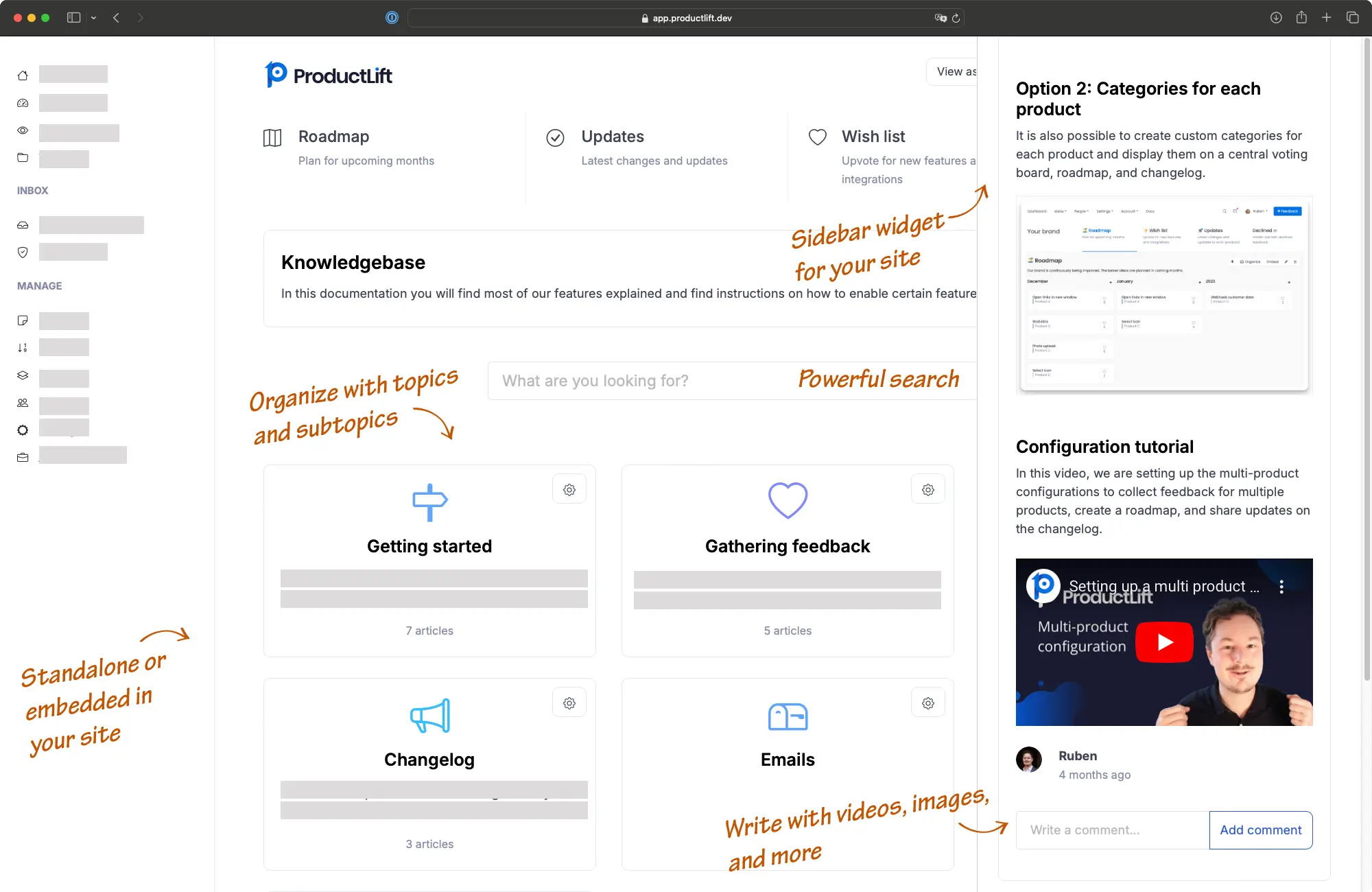
Use the WYSIWYG editor to write articles. AI helps rewrite and improve your content. Organize with unlimited topics and subtopics for any documentation structure.
Paste an iframe or JavaScript snippet into any webpage. Or host on a custom subdomain like help.yoursite.com. Match your brand with custom colors, fonts, and layout.
AI-powered search helps users find the right article instantly. Track which articles are most viewed and where users still need help.
AI rewrites and improves articles so any team member can create polished documentation without extensive editing.
Create unlimited levels of topics and subtopics. Organize complex documentation structures however makes sense for your users.
Users find what they need instantly with intelligent search that understands intent, not just keywords.
WYSIWYG editor with support for images, Loom videos, tables, code blocks, and file attachments like PDFs and spreadsheets.
Track article views, search queries, and user engagement. Identify gaps in your documentation where users still need help.
Add your knowledge base as an iframe, sidebar widget, or hosted page on your domain. Works with any website, CMS, or app.
This is a live ProductLift knowledge base embedded on this page. Try searching for an article.
See how the knowledge base works as a sidebar widget, letting users access help without leaving the current page.
Try Sidebar WidgetView the full standalone knowledge base on its own page, hosted on a custom subdomain.
View Standalone Demo3,051
Product teams using ProductLift
4.8
Average rating on G2
AI
Powered content creation and search
Sebastian F.
Entrepreneur
Aaron Dye
Timothy M.
Product Manager
Ben
Product Owner
Marco
Chris R.
Founder
Reduce support tickets with self-service documentation. Onboard new users faster with structured guides. Track which articles need updating based on user engagement.
Document shipping policies, return processes, and product guides. Customers find answers without contacting support, reducing response times during peak seasons.
Organize learning materials, FAQs, and platform guides in one searchable place. Reduce the same onboarding questions from every new cohort.
Centralize SOPs, onboarding guides, and process documentation. New hires find answers without interrupting colleagues. Keep institutional knowledge accessible.
Your knowledge base works alongside feedback boards, roadmaps, and changelogs in one platform. Users find documentation, request features, and track updates without leaving your site.
Part of a Complete Product Suite
Embed your knowledge base on any website or app
View all 35+ platform integrations including Wix, Squarespace, and more.
View All PlatformsMost knowledge bases are dumping grounds for articles nobody reads. The problem is not the content. It is discoverability and maintenance.
ProductLift uses AI to help you write better articles faster, and AI-powered search to help users find the right answer instantly. Combined with analytics that show you where your documentation has gaps, you build a knowledge base that actually reduces support load. That's why over 3,000 product teams use ProductLift.
Ruben Buijs
Founder of ProductLift
Reduce support tickets and help users find answers on their own