How to Prioritize Feature Requests: A Complete Guide





from 124+ reviews
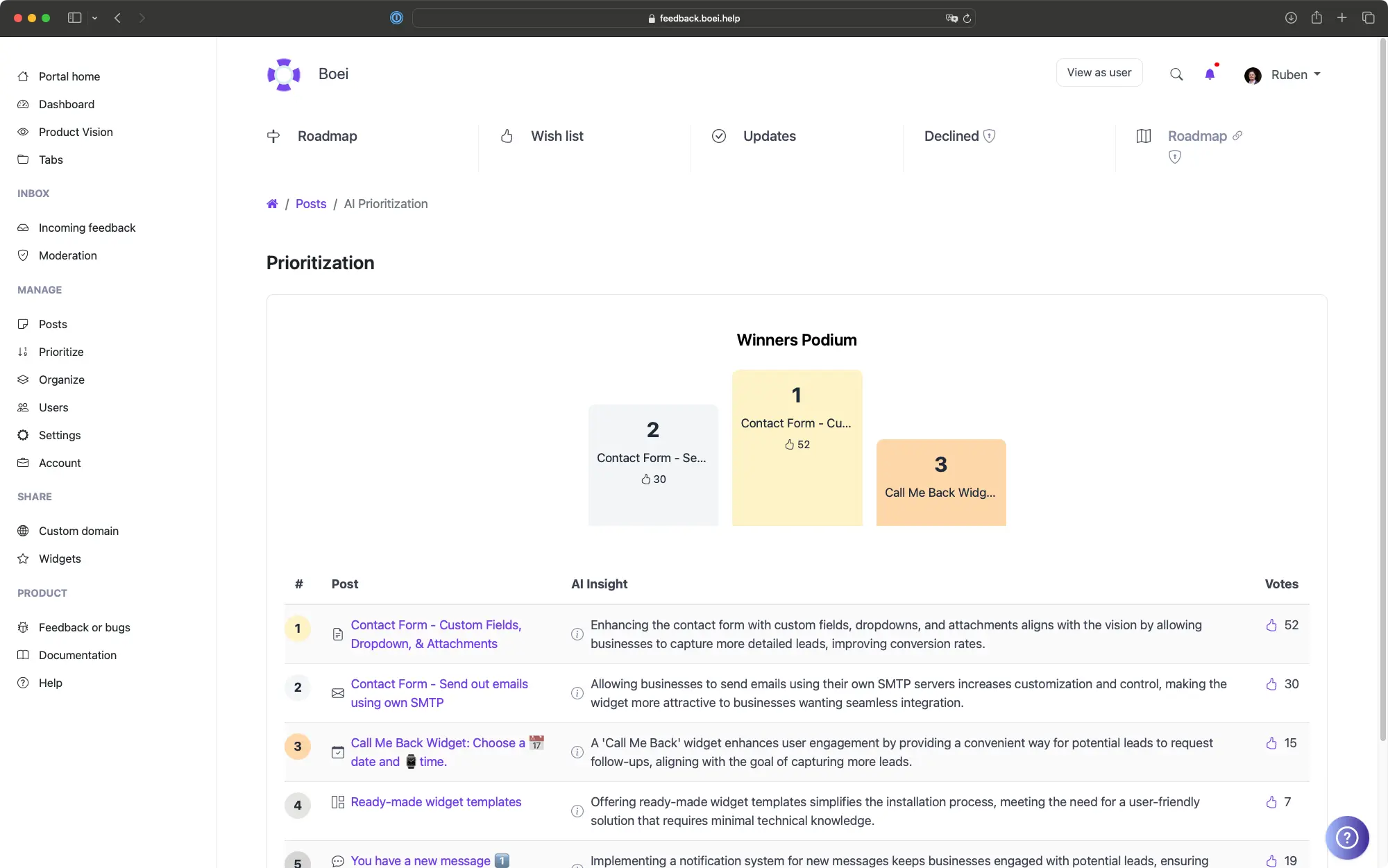
Start with Your Product Vision
Every prioritization framework is useless without a clear product vision. If you don't know where you are going, no scoring system will tell you what to build.
In ProductLift, you define your Product Vision in the settings. This is a clear statement of what your product is, who it serves, and what strategic goals you are pursuing this year. Once defined, AI Prioritization uses your vision as the anchor for scoring every request in your backlog.
Your vision doesn't need to be a polished manifesto. A few sentences work fine. Something like: "We help mid-market SaaS teams collect and act on customer feedback. This year we are focused on reducing time from feedback to shipped feature." That is enough for AI to score relevance and strategic alignment.
5 Prioritization Approaches in ProductLift
AI Prioritization
RICE Scoring
ICE Scoring
MoSCoW Method
Impact-Effort Matrix
Revenue-Weighted Prioritization
How to Run a Prioritization Session
Prioritization should not happen in a meeting where the loudest voice wins. Here's a better process that uses data.
Step 1: Let AI score your backlog. Run AI Prioritization against your Product Vision. This gives you a ranked list in minutes. Review the top 20 and bottom 20 to calibrate whether AI is capturing your intent correctly.
Step 2: Layer in revenue data. Sort by Total Voter MRR. Are your highest-paying customers asking for something AI ranked low? That is worth investigating. Revenue data doesn't override strategic alignment, but it adds an important signal.
Step 3: Apply a scoring framework. Use RICE or ICE on your top 30 candidates. This forces your team to estimate effort and impact explicitly instead of relying on gut feeling.
Step 4: Filter by User Segments. Use segments to see what percentage of Enterprise customers vs. Starter plan customers want each feature. A feature requested by 60% of your Enterprise segment is different from one requested by 60% of your free tier.
Step 5: Save your analysis. Use saved queries in ProductLift to save filtered views for recurring analysis. Create views like "High MRR requests this quarter" or "Top voted unplanned items" so you can revisit them without rebuilding the filter each time.
When to Use Each Framework
Use AI Prioritization When...
Use RICE When...
Use ICE When...
Use MoSCoW When...
6,035
Product teams using ProductLift
157,624
Feature requests prioritized
4.8
Average rating on G2
What Teams Say About Prioritization

Sebastian F.
Entrepreneur
★★★★★
This app will help you connect with your users and gather feedback like never before. The UI is clean and focused. The different pages and forms can be fully customized. Ruben is an amazing developer and entrepreneur with a proven track record. ProductLift is going places and you should get onboard.
AppSumo
Aaron Dye
★★★★★
An excellent product with equally excellent support! Everything just works, and when I had questions, the team was incredibly responsive.
Timothy M.
Product Manager
★★★★★
This tool is literally a needle in a haystack. I was using Frill, and this doesn't even compare. The user interface, the way it lays out — so amazing. Also amazing support team!
AppSumo
Ben
Product Owner
★★★★★
Helped us quickly move away from our antiquated spreadsheet to a user-interactive system. User feedback is now collected in real-time. Support has been super speedy!
AppSumo
Marco
★★★★★
Based in Europe, ideal for privacy-conscious customer interaction. Constant improvements by Ruben together with thorough support make ProductLift a solid and future-proof choice.
AppSumo
Chris R.
Founder
★★★★★
By far the most customizable of all the feedback tools and much better than Feedbear. Developer is super responsive and support has been great. Highly recommend!
AppSumo