Feedback plugin for Adobe Muse
The Ultimate Adobe Muse Feedback Plugin
Collect and manage user feedback on your Adobe Muse site effortlessly, keeping your users engaged and your product improving.
Start collecting Feedback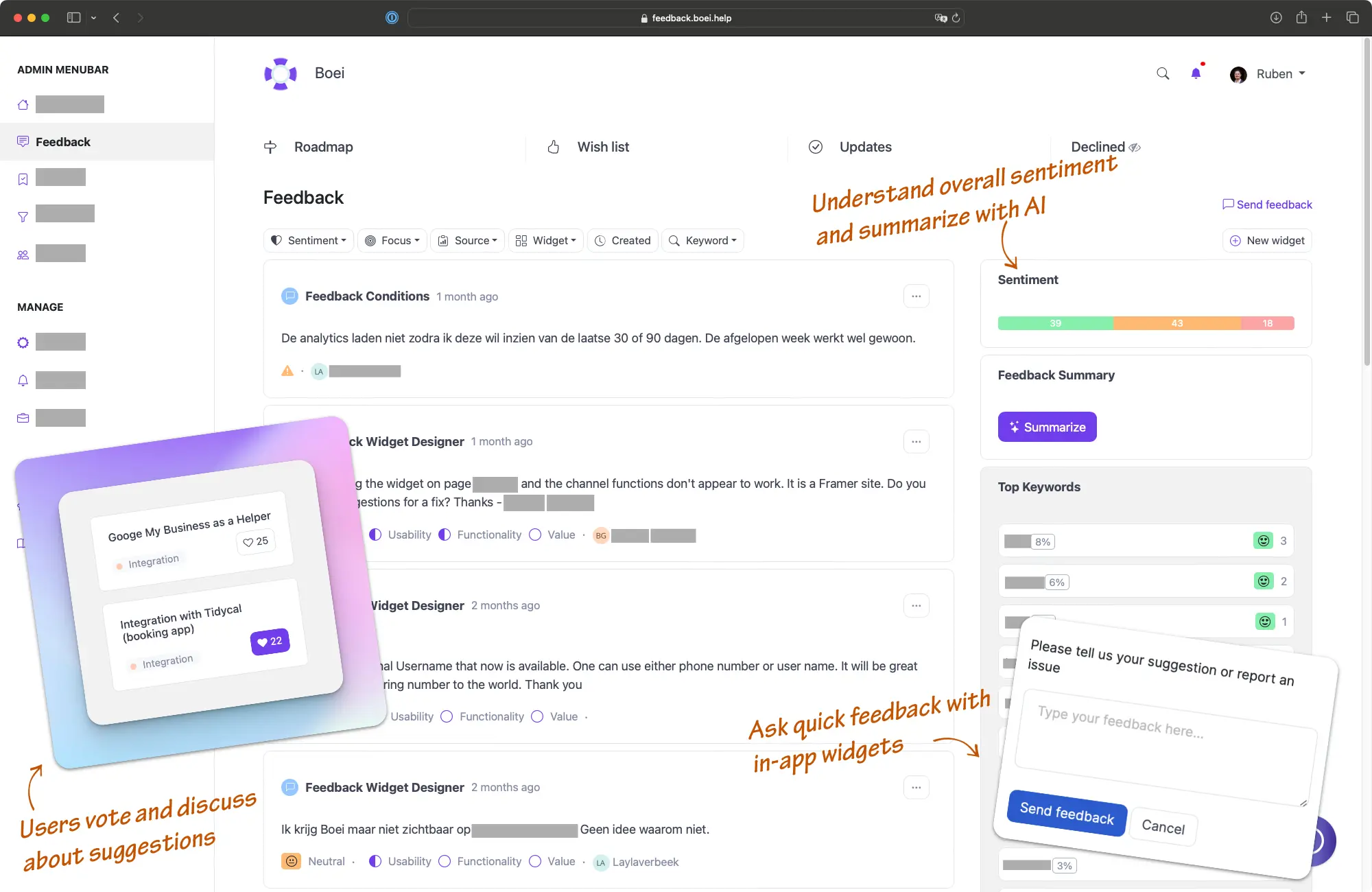

"I loved everything about it! The user interface, the way it lays out is so amazing. Down to internal notes, attachments, and just simply works for us and our company."

CEO at Indema
Explore other ProductLift features for Adobe Muse
Improve User Satisfaction
Collecting feedback with the Adobe Muse Plugin allows you to address user concerns quickly, leading to higher satisfaction and retention.
Prioritize Development
Use feedback to guide your product development, ensuring you focus on features that matter most to your users.
Increase Engagement
The feedback Adobe Muse Plugin encourages users to share their thoughts, fostering a sense of community and increasing engagement with your product.
Data-Driven Decisions
Gather valuable insights directly from your users to make informed, data-driven decisions about your product's future.
Top 6 Reasons Why Over 3,000 Users Love our Feedback Tools
User Segments for Behavioral Grouping
Organize users into segments like "power users," "enterprise customers," or "free tier" to understand which groups want specific features.
MRR/LTV-Based Prioritization
Track feedback by customer value to prioritize features requested by your highest-spending customers and enterprise accounts.
AI Moderation
Automatically filter spam and inappropriate content with advanced AI moderation to maintain high-quality discussions.
Smart Post Merging
Automatically detect and merge duplicate feature requests to consolidate votes and reduce noise in your feedback board.
Priority Insights
Understand what matters most to your users with real-time voting analytics and trend tracking.
Custom Branding
Maintain brand consistency with customizable themes and layouts for your feedback board.
Demo: See It in Action
Experience our feedback boards seamlessly integrated into the web page.
Other demos
Standalone Demo
Explore our full-featured, standalone feedback board in action.
View Standalone DemoFeatures
Enhance your Adobe Muse feedback process with these features
(and more)
Merge and Split Posts
Easily merge or split posts to maintain an organized feedback structure.
Voting System
Customers can vote on posts to highlight priority items.
Duplicate Detection
Notifies users if similar posts already exist to prevent duplicates.
Internal Comments
Enables internal comments, facilitating team discussions and collaboration on feedback.
Discuss with Customers
Engage directly with customers through discussions on feedback posts.
Widgets for Integration
Embed feedback, roadmap, changelog, and knowledge base widgets into your product.
Single Sign-On (SSO)
Seamlessly authenticate users without requiring new accounts.
Embeddable Iframes
Easily embed feedback boards, roadmaps, or changelogs in your site via iframe.
How it works
Create an account
Make your Feedback Board or Widget
Embed it on Adobe Muse
Trusted by the best
5,204 of the best product managers, SaaS companies, and digital businesses are building better with ProductLift

Sebastian F.
Entrepreneur

Aaron Dye

Timothy M.
Product Manager

Ben
Product Owner

Marco

Chris R.
Founder
Adobe Muse Roadmap FAQ
How do I install the Adobe Muse Feedback Plugin?
To add feedback functionality to Adobe Muse, embed it as an iframe or JavaScript code. Create a ProductLift account, navigate to your feedback section, and click "Embed". Copy the provided code and paste it into your Adobe Muse site through the Plugins section in your Adobe Muse dashboard, then activate it.Can I customize the feedback form to match my brand?
Yes, the Adobe Muse feedback Plugin offers extensive customization options. You can adjust colors, fonts, and layout styles to align with your brand's aesthetic, ensuring a seamless integration with your site.Is the Adobe Muse Feedback Plugin user-friendly?
Absolutely, the Adobe Muse Plugin feedback system is designed for ease of use. You can create, manage, and analyze feedback using an intuitive interface, making it accessible even for those with limited technical expertise.Can I categorize and prioritize feedback?
Yes, the Adobe Muse Feedback Plugin allows you to categorize, tag, and prioritize feedback. This helps you organize user input effectively and focus on the most critical issues or popular feature requests.Is it possible to respond to user feedback directly through the plugin?
Yes, the Adobe Muse Feedback Plugin includes features for responding to user feedback directly. This enables you to close the feedback loop, showing users that their input is valued and acted upon.Can I export feedback data for further analysis?
Yes, the Plugin feedback Adobe Muse allows you to export feedback data in various formats. This feature enables you to perform in-depth analysis, create reports, or integrate the data with other tools in your workflow.How does the Plugin handle user privacy and data protection?
The Adobe Muse Feedback Plugin is designed with privacy in mind. It complies with data protection regulations and provides options to anonymize feedback when necessary. You can also configure data retention policies to ensure compliance with privacy laws.What is Adobe Muse?
Adobe Muse is a website design and development platform that allows users to create and publish websites without writing any code. It offers a visual interface and drag-and-drop functionality to design and customize websites.How expensive is Adobe Muse?
Adobe Muse is no longer being actively developed and supported by Adobe. However, it is still available for download and use for existing customers. The pricing for Adobe Muse varies depending on your subscription plan and whether you have a Creative Cloud subscription. It is recommended to check Adobe's official website or contact their support for the most up-to-date pricing information.Is Adobe Muse a good platform?
The suitability of Adobe Muse as a platform depends on your specific needs and preferences. While it provides a user-friendly interface for designing websites without coding, it may not have the extensive functionality or flexibility of other platforms. Additionally, since Adobe Muse is no longer actively supported, it may not receive regular updates or new features. It is advisable to consider your requirements and explore other options before choosing Adobe Muse as your website design platform.The faster, easier way to capture user feedback at scale
Join over 5,204 product managers and see how easy it is to build products people love.
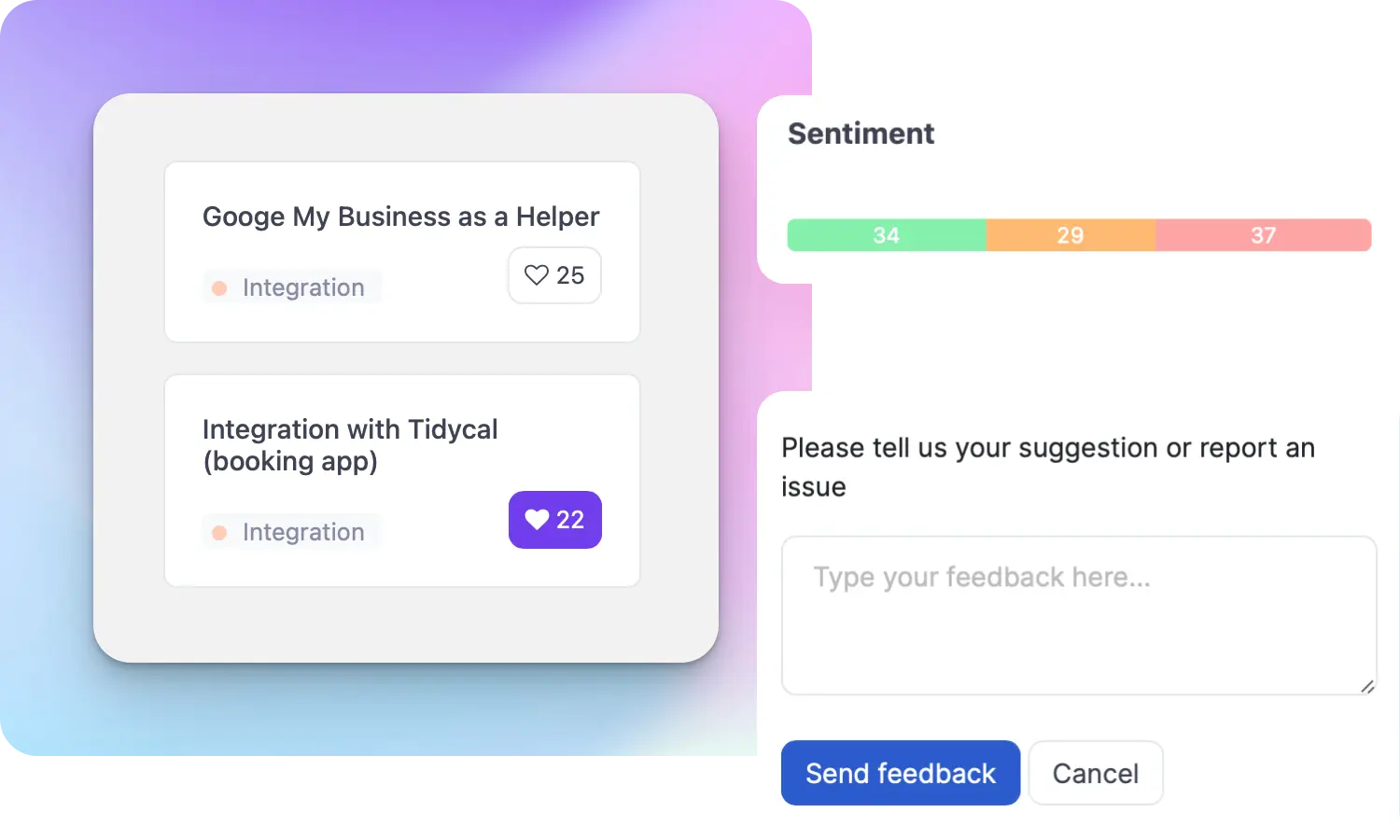
Did you know 80% of software features are rarely or never used? That's a lot of wasted effort.
SaaS software companies spend billions on unused features. In 2025, it was $29.5 billion.
We saw this problem and decided to do something about it. Product teams needed a better way to decide what to build.
That's why we created ProductLift - to put all feedback in one place, helping teams easily see what features matter most.
In the last five years, we've helped over 5,204 product teams (like yours) double feature adoption and halve the costs. I'd love for you to give it a try.

Ruben Buijs
Founder & Digital Consultant
Related Resources
 Wordpress Feedback
 Wix Feedback
 Shopify Feedback
 Squarespace Feedback
 Woocommerce Feedback
 Webflow Feedback
 Prestashop Feedback
 Framer Feedback