10 Best Changelog Tools & Software for SaaS in 2026
 Ruben Buijs
April 2026 13 min read
Ruben Buijs
April 2026 13 min read TL;DR
ProductLift is our top pick for SaaS changelog tools starting at $19/mo, offering an all-in-one solution with automatic voter notifications. Pricing across the 10 tools ranges from free to $99/mo or more for enterprise tiers. The biggest trend in 2026 is the shift toward integrated platforms that connect feedback, roadmap, and changelog into a single automated workflow rather than using separate standalone tools.
Comparison Table
| Tool | Best For | Starting Price | G2 Rating |
|---|---|---|---|
| ProductLift | All-in-one changelog + feedback + roadmap | From $19/mo | 5.0/5 |
| Beamer | Standalone changelog with advanced features | $49/mo | 4.5/5 |
| AnnounceKit | Multi-channel distribution | $49/mo | 4.6/5 |
| Canny | Changelog + feedback platform | Free/$19/mo | 4.6/5 |
| Headway | Free changelog option | Free/$19/mo | 3.0/5 |
| FeatureBase | Modern all-in-one with AI | Free or $29/seat/mo | 4.9/5 |
| ReadMe | Developer-focused SaaS | $99/mo | 4.7/5 |
| Frill | Budget changelog + feedback | $25/mo | 4.7/5 |
| Noticeable | Widget-focused changelog | $49/mo | 4.8/5 |
| Notion/Blog | DIY changelog | Free/$10/user/mo | 4.7/5 |
Tools Covered
Why This Comparison is Different
Most changelog tool comparisons focus on features. This guide focuses on workflow, because for SaaS teams who ship weekly, the real question is: "How do I keep customers informed without manual busywork?"
What makes this guide useful for SaaS teams:
- Auto-notification – Which tools notify users automatically when you ship (vs manual email)
- Roadmap connection – Ship feature → Auto-create changelog from roadmap item
- Feedback loop – Notify everyone who voted for the feature you just shipped
- In-app widgets – Show changelog in your product (not just external blog)
- Real pricing – What you'll actually pay, not just starting prices
Why SaaS Teams Need Different Changelog Tools
SaaS changelogs are fundamentally different from traditional product announcements:
1. You Ship Features Weekly (Not Quarterly)
Traditional companies release updates 2-4 times per year. SaaS teams ship weekly, sometimes daily:
- Fast publishing: Create changelog entry in <2 minutes, not 30-minute process
- In-app notifications: Customers see "What's New" without checking blog
- Auto-notify voters: Everyone who requested the feature gets notified automatically
Reality check: If your changelog tool requires 20 minutes to publish, you'll skip updates. It needs to be effortless.
2. Your Changelog Connects to Feedback & Roadmap
In SaaS, changelogs aren't just announcements. They close the feedback loop:
- Feedback → Roadmap → Changelog: Same item travels through stages
- Auto-notify voters: Ship the feature → 200 people who voted get notified
- Build trust: Customers see you actually ship what they requested
Traditional changelog tools (Beamer, Headway) don't connect to feedback/roadmap. You manually recreate content in 3 places.
3. Customers Should Discover Updates In-App
Most customers don't read your changelog blog. They need in-app notifications:
- Badge notification: "What's New" badge in your app header
- Modal popup: "Check out our new feature!" when they log in
- Widget: Embedded changelog without leaving your product
4. Changelogs Should Drive Feature Adoption
SaaS changelogs aren't passive announcements. They drive usage:
- Track views: How many users saw the announcement?
- Track clicks: Did they try the new feature?
- A/B test messaging: Which announcement drives more adoption?
Bottom line: Generic changelog tools are built for announcements. SaaS teams need tools that connect feedback → roadmap → changelog and drive feature adoption. For inspiration, see our best changelog examples and our guide on how to write release notes.
Quick Picks by Use Case
🏆 Best All-in-One (Changelog + Feedback + Roadmap): ProductLift – Ship from roadmap → Auto-create changelog → Auto-notify voters. From $19/mo.
📣 Best Standalone Changelog: Beamer – Beautiful announcements, in-app widgets, powerful segmentation. $49-99/mo.
🎯 Best for Product Announcements: AnnounceKit – Multi-channel distribution (email, Slack, in-app). $49+/mo.
💰 Best Free Option: Headway – Free tier available, simple changelog. But 3.0 G2 score is concerning.
🚀 Best for Developer-Focused SaaS: ReadMe – Changelog integrated with API docs. $99+/mo.
📊 Best Analytics & Feedback: Canny – Changelog with feedback collection. Free (25 tracked users) or $19+/mo.
🎨 Best for Design-Focused Teams: Beamer or FeatureBase – Beautiful UI, customizable.
⚡ Best Feedback → Changelog Workflow: ProductLift – Only tool where feedback items become changelog entries automatically.
What SaaS Teams Should Look For
✅ Must-Have Features
- In-app widget – Show changelog inside your product, not just external blog
- Email notifications – Auto-notify customers when you ship
- Fast publishing – Create entry in <5 minutes (markdown editor or WYSIWYG)
- Custom branding – changelog.yourcompany.com with your design
- Image support – Screenshots, GIFs, videos to show features
🚀 SaaS-Specific Features
- Roadmap integration – Ship from roadmap → Auto-create changelog entry
- Feedback connection – Link changelog to feature requests, notify voters
- User segmentation – Different announcements for Free vs Pro users
- In-app notification badge – "What's New" indicator in your app header
- Modal popups – Highlight important features when users log in
📊 Analytics & Distribution
- View tracking – How many users saw each announcement?
- Click tracking – Did they try the new feature?
- Multi-channel: Email, in-app, Slack, RSS, social media
- Emoji reactions – Let users react (🔥 👍 ❤️) to gauge sentiment
⚡ Workflow Integration
- API access – Auto-publish changelog via API/webhook
- Slack integration – Post to Slack channel when you ship
- Markdown support – Fast writing for developers
- Scheduling – Write now, publish later
1. ProductLift – Best All-in-One (Changelog + Feedback + Roadmap)
⭐ G2 Rating: 5.0/5 | 💰 Starting Price: From $19/mo (changelog included)
Best for: SaaS teams who want changelog + feedback + roadmap with automatic voter notification
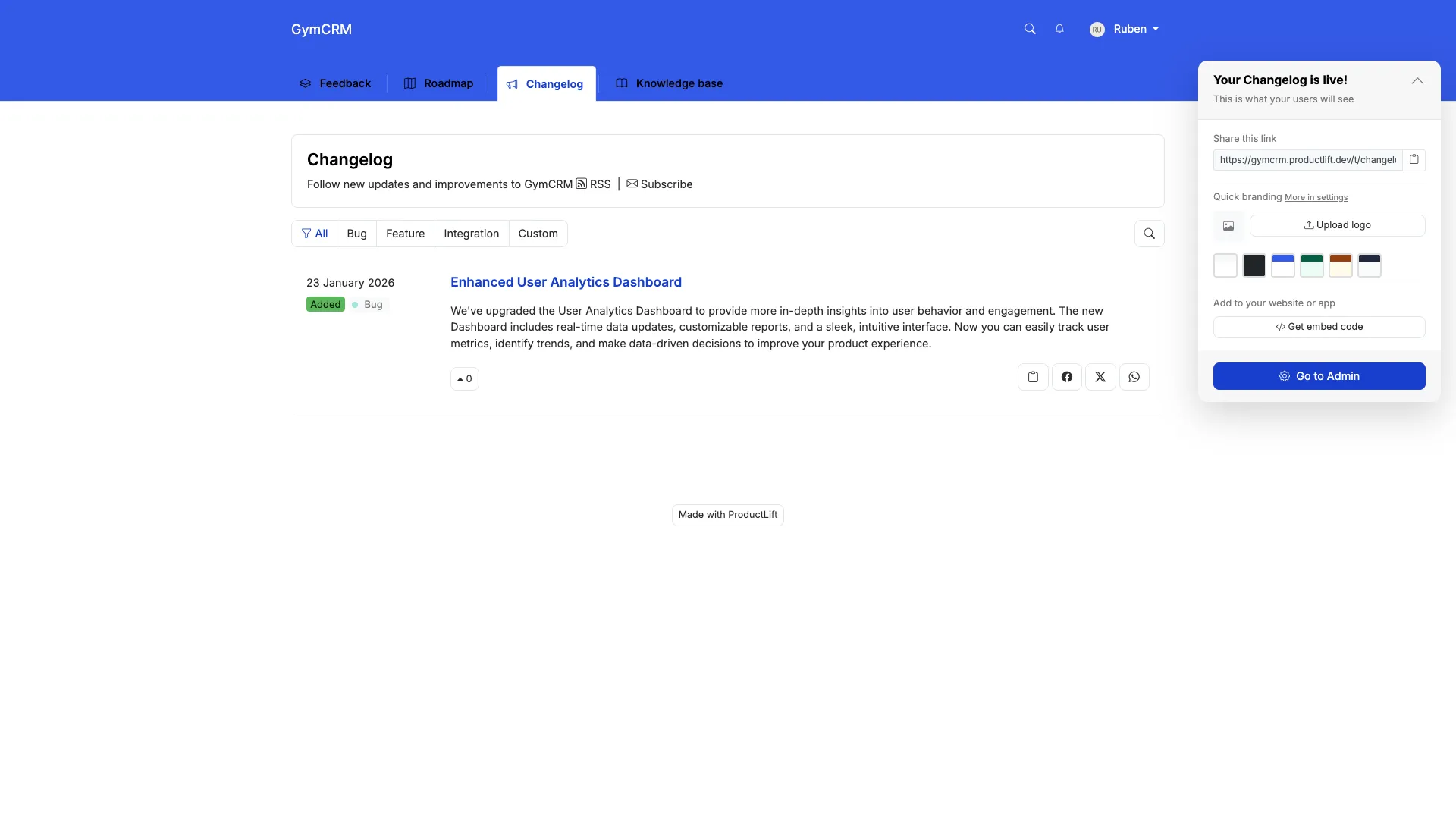
What ProductLift's Changelog Does Well
- Journey model: Feedback → Roadmap → Changelog. Same item, complete history preserved.
- Auto-notify voters: Ship feature → Everyone who voted gets email notification automatically
- AI-generated content: ProductLift can write changelog entry from your shipped feature description
- Public changelog: changelog.yourcompany.com with custom branding
- 28 languages: Customers see changelog in their preferred language
- KB integration: Ship feature → Generate KB article from changelog entry
- Tiered pricing: from $19/mo, unlimited changelog entries
Where ProductLift Falls Short
- Simpler than Beamer: No advanced segmentation, NPS surveys, or A/B testing
- No modal popups: Email + widget, but no popup notifications
- Basic analytics: View counts, but not as detailed as AnnounceKit
Pricing
- Starter $19/mo, Pro $49/mo, Business $129/mo – Unlimited changelog entries, unlimited readers
- Changelog included with feedback/roadmap/KB. No add-on cost
- 14-day free trial, no credit card required
Who should use ProductLift: SaaS teams who ship weekly and want changelog + feedback + roadmap in one affordable, automated tool.
Who should look elsewhere: Teams needing advanced changelog features (A/B testing, NPS surveys, modal popups) without roadmap/feedback integration.
Want to See It in Action?
2. Beamer – Best Standalone Changelog Tool
⭐ G2 Rating: 4.5/5 | 💰 Starting Price: $49/mo (Starter, 5,000 MAU), $99/mo (Pro)
Best for: SaaS teams who need powerful changelog with advanced segmentation and modal popups
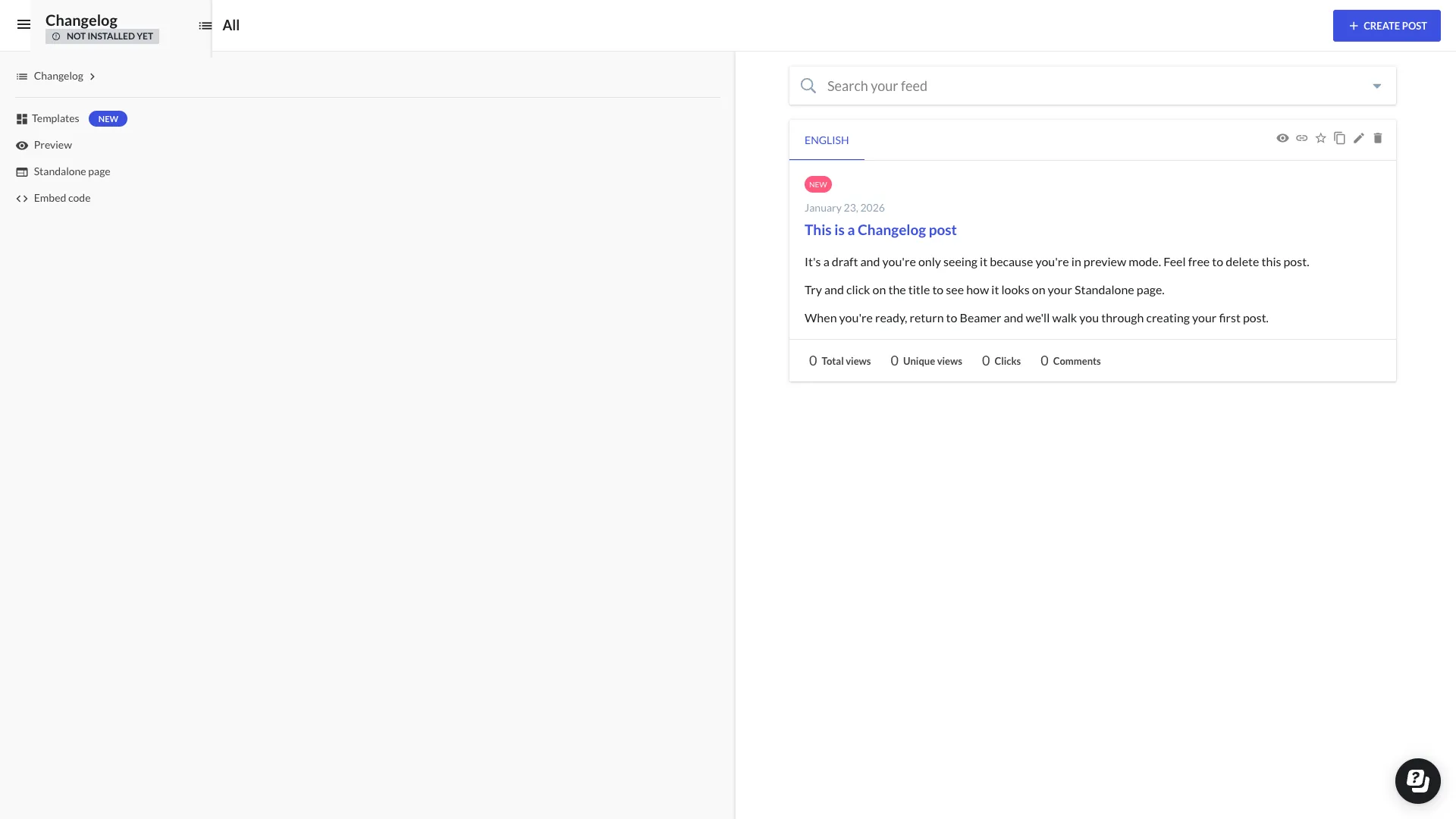
What Beamer Does Well
- Beautiful announcements: Modern, polished UI that customers love
- In-app widget & modal: Notification badge + popup overlays for important updates
- User segmentation: Different announcements for Free vs Pro, different industries, etc.
- NPS surveys: Collect satisfaction scores alongside changelog
- Push notifications: Browser push for web apps
- Emoji reactions: Users can react with 👍 ❤️ 🔥 to gauge sentiment
- Multi-language: Create announcements in multiple languages
Why SaaS Teams Choose Beamer
Growth SaaS teams ($500K-$10M ARR) choose Beamer when they need:
- Professional announcements: Your changelog represents your brand. Beamer looks polished
- Feature adoption: Modal popups drive 3-5x more engagement than passive changelog
- Segmentation: Enterprise customers see different announcements than Starter plan users
- Dedicated changelog tool: Already have feedback/roadmap tools, just need best-in-class changelog
Why SaaS Teams Avoid Beamer
- No feedback collection: Feedback is a paid add-on. You need a separate tool for feature requests
- No roadmap: Can't show customers what's coming
- Manual workflow: You manually create each changelog entry (no auto-generation from roadmap)
- $49-99/mo: Expensive if you need changelog + feedback + roadmap (better to get all-in-one)
Pricing
- Starter: $49/mo (5,000 MAU) – Basic changelog, 1 site
- Pro: $99/mo – Segmentation, NPS surveys, multiple sites
- Scale: $249/mo (50,000 MAU) – Priority support, custom features
What Users Say
"Beamer is the best changelog tool if that's all you need. But we were paying $99/mo for Beamer + $79/mo for Canny + $59/mo for Productboard. Switched to ProductLift starting at $19/mo." – Product Manager, B2B SaaS
Who should use Beamer: SaaS teams with budget ($500K+ ARR) who already have feedback/roadmap tools and want best-in-class changelog with advanced features.
Who should look elsewhere: Early-stage SaaS, teams needing integrated feedback/roadmap, or anyone wanting automatic voter notifications.
3. AnnounceKit – Best Multi-Channel Distribution
⭐ G2 Rating: 4.6/5 | 💰 Starting Price: $49/mo (Starter), custom pricing higher tiers
Best for: SaaS teams who need changelog distributed across email, in-app, Slack, social media
What AnnounceKit Does Well
- Multi-channel distribution: One changelog entry → Email, in-app, Slack, Twitter, RSS
- User targeting: Segment by plan, geography, user properties
- Feedback collection: Collect reactions and comments on announcements
- Analytics: Track views, clicks, engagement per announcement
- Scheduling: Write today, auto-publish next week
- API & webhooks: Automate changelog publishing
Why SaaS Teams Choose AnnounceKit
SaaS teams choose AnnounceKit when distribution matters more than simplicity. If you want announcements across 5 channels (email, in-app, Slack, Twitter, blog), AnnounceKit handles it.
Why SaaS Teams Avoid AnnounceKit
- No roadmap: Changelog only, no customer-facing roadmap
- No voter notifications: Can't auto-notify people who requested the feature
- More complex: Power comes with complexity. Takes longer to set up
Who should use AnnounceKit: SaaS teams who need changelog across many channels and have budget for $50-150/mo.
Who should look elsewhere: Teams needing simple changelog or integrated feedback/roadmap tools.
4-7. Other Changelog Tools
Canny – Changelog + Feedback Platform
💰 Price: Free (25 tracked users), Core $19/mo, Pro $79/mo | ⭐ G2: 4.6/5
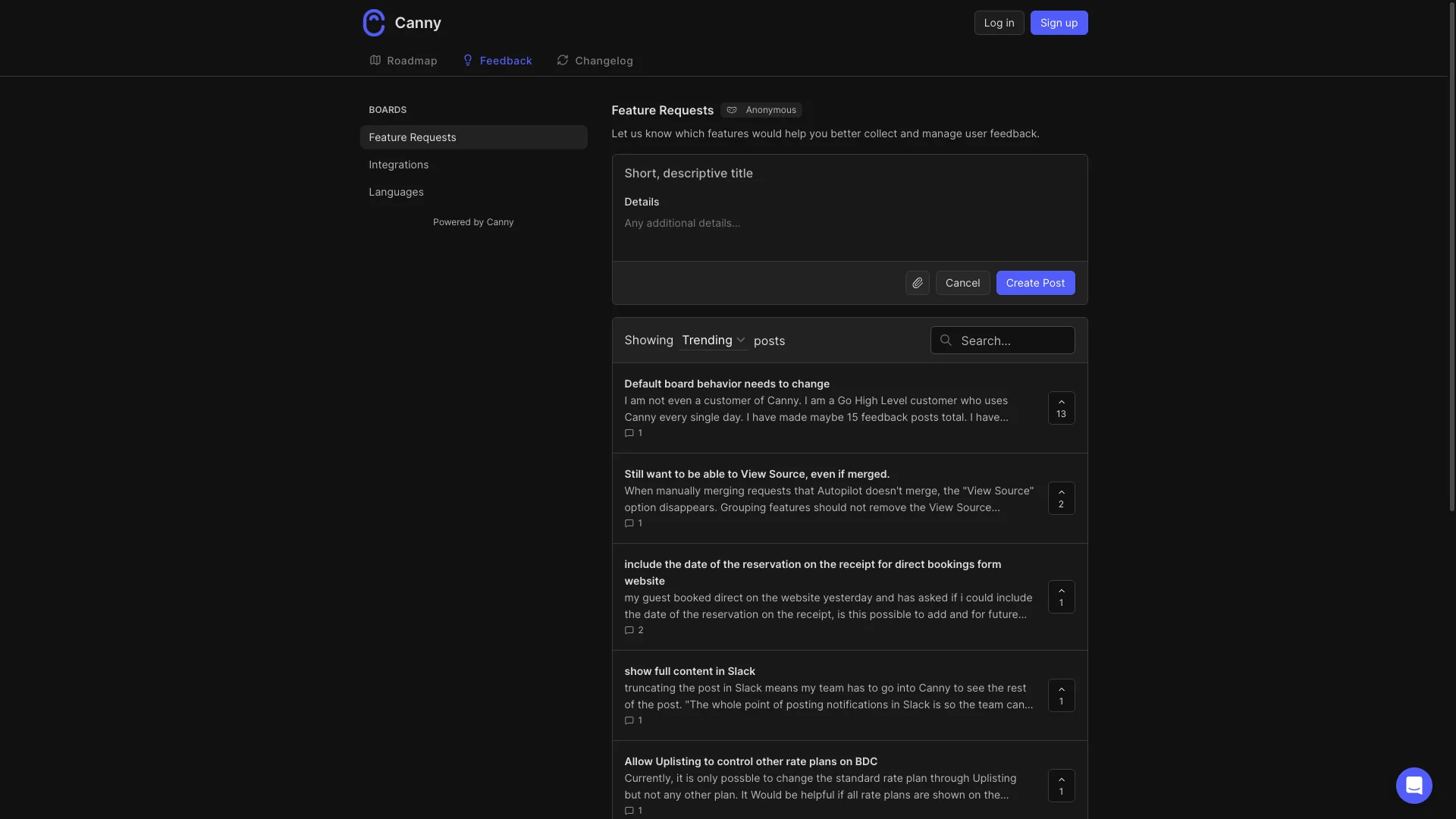
Why SaaS teams choose it: Changelog + feedback + roadmap in one tool. Free plan works for tiny SaaS (<25 tracked users). Clean UI, GitHub integration.
Why SaaS teams avoid it: Tracked user pricing scales painfully (Core $19 → Pro $79 → custom as you grow). English-only. No AI features. No auto-notify voters workflow.
Headway – Free Changelog Option
💰 Price: Free tier, paid from $19/mo | ⭐ G2: 3.0/5 (⚠️ Low!)
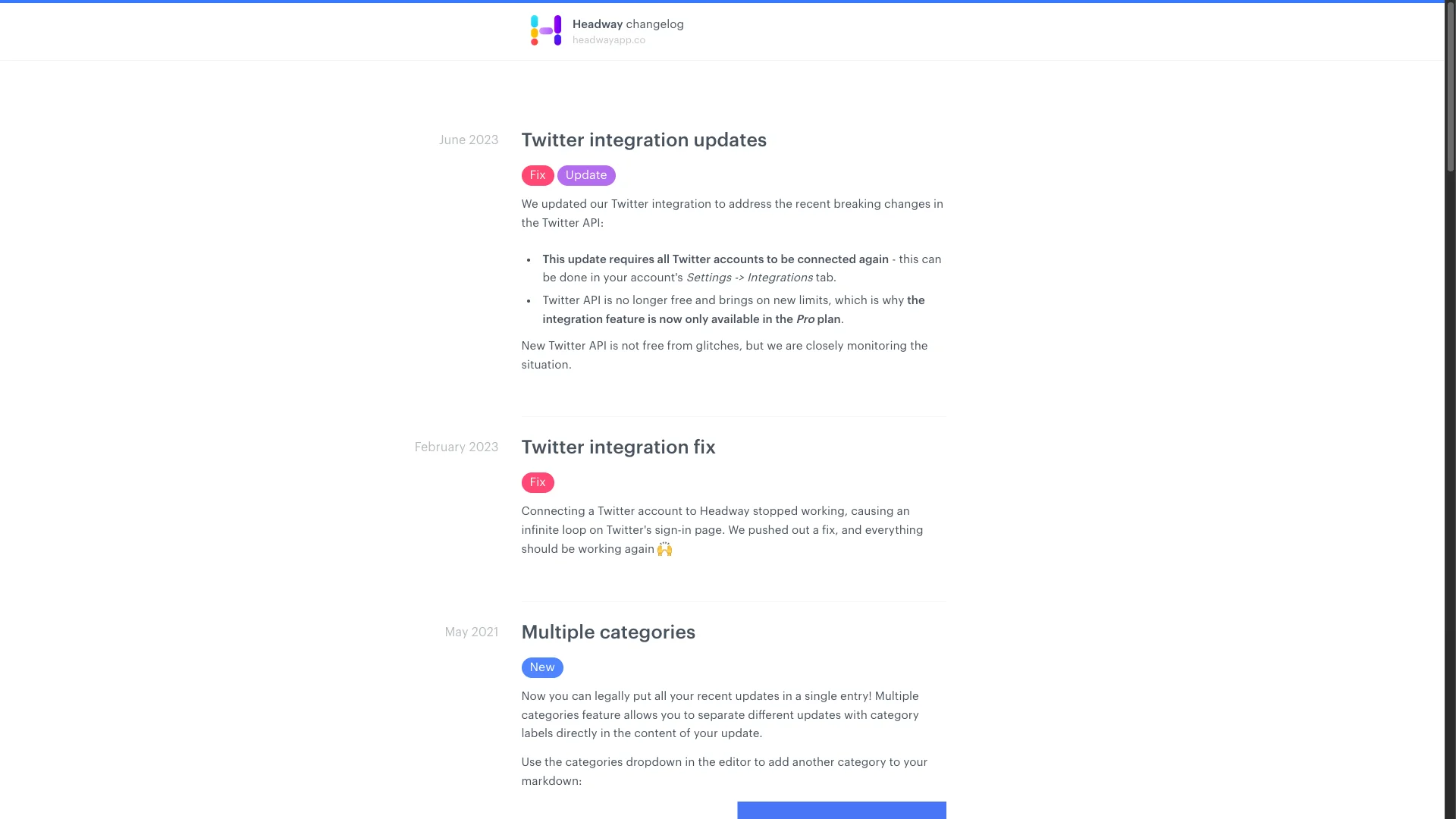
Why SaaS teams use it: Free tier available. Simple, basic changelog. Good for bootstrapped startups with $0 budget.
Why SaaS teams avoid it: 3.0 G2 score is a red flag. Changelog ONLY. No feedback, no roadmap. Limited features even on paid plans. Most teams outgrow it fast.
FeatureBase – Modern All-in-One
💰 Price: Free tier, paid from $49/mo | ⭐ G2: 4.9/5
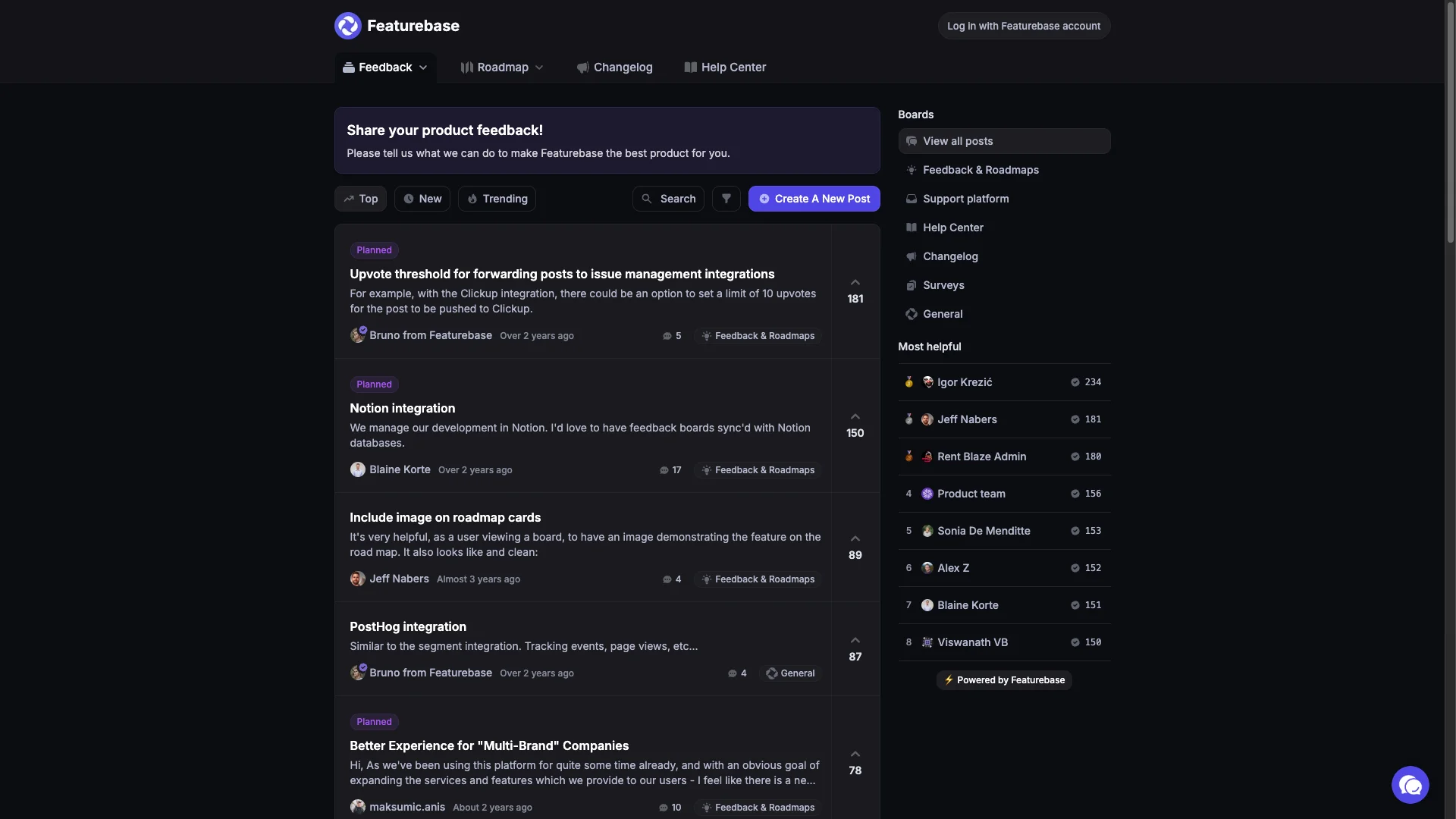
Why SaaS teams choose it: Modern UI with AI features (duplicate detection, content generation). Includes feedback, roadmap, changelog, help desk. Growing fast.
Why SaaS teams avoid it: Newer player (less proven at scale). Pricing can increase at higher tiers. Some advanced features locked behind premium.
ReadMe – Changelog for Developer-Focused SaaS
💰 Price: $99/mo (Startup) | ⭐ G2: 4.7/5
Why SaaS teams choose it: If your SaaS is API-first (like Stripe, Twilio), ReadMe integrates changelog with API documentation. Developers see updates in context.
Why SaaS teams avoid it: Specifically for API docs + changelog. Overkill if you don't have API. $99/mo minimum, pricing increases with traffic.
8-10. Lightweight & DIY Options
Frill – Budget Changelog + Feedback
💰 Price: $25/mo flat | ⭐ G2: 4.7/5
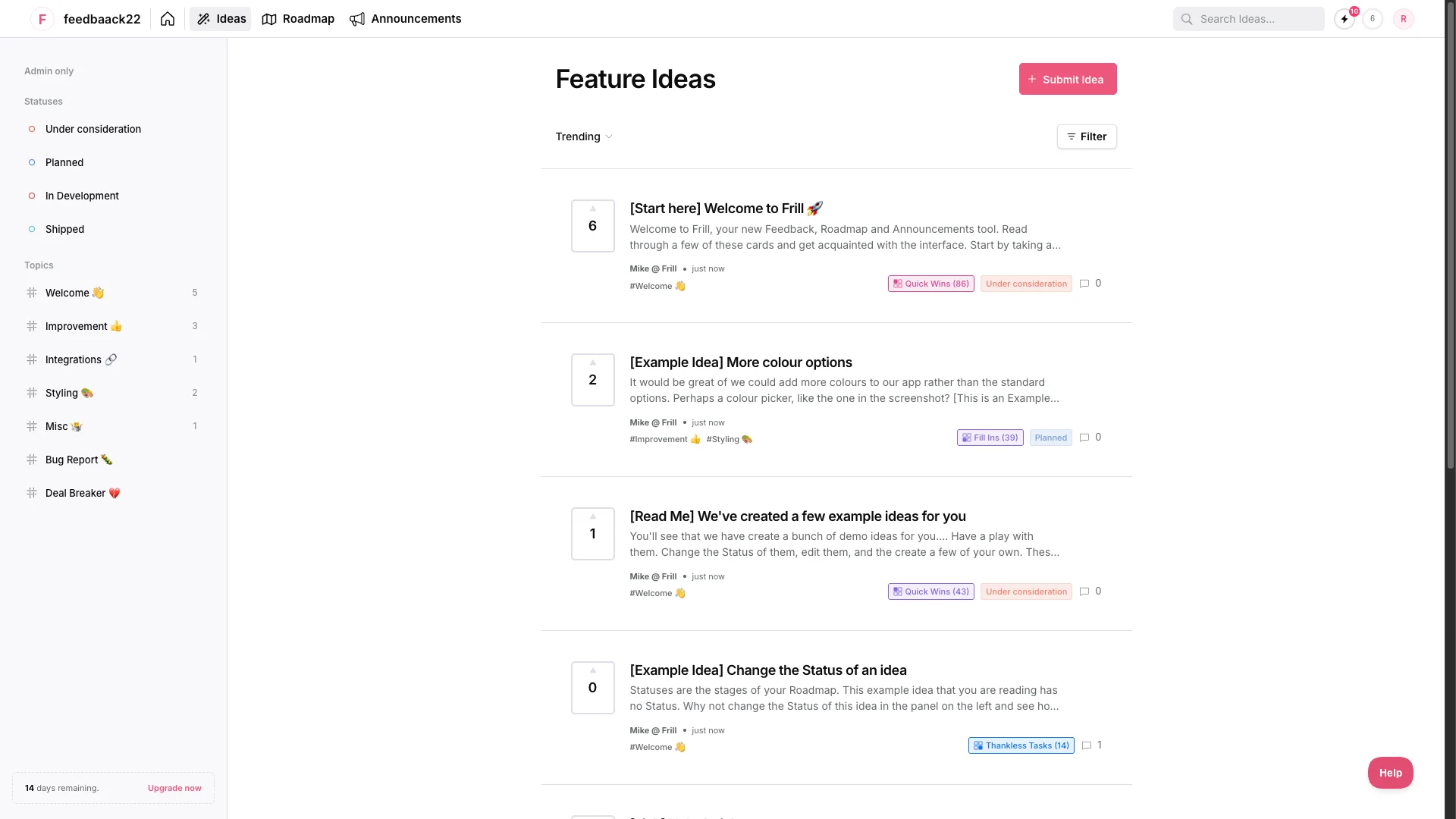
Why SaaS teams choose it: Affordable alternative to Canny. Includes roadmap, feedback, changelog for $25/mo flat. No per-user pricing traps.
Why SaaS teams avoid it: English-only (dealbreaker for international SaaS). No internal comments. No knowledge base. Simpler feature set.
Noticeable – Widget-Focused Changelog
💰 Price: $49/mo (Starter) | ⭐ G2: 4.8/5
Why SaaS teams choose it: Beautiful in-app widgets with various styles. Good if your primary goal is in-product changelog visibility.
Why SaaS teams avoid it: Changelog only. No feedback or roadmap features. Similar price to Beamer but less features.
Notion/Blog – DIY Changelog
💰 Price: Free-$10/user/mo | ⭐ G2: 4.7/5
Why SaaS teams use it: Tiny SaaS startups create changelog using Notion or blog.yoursite.com/changelog. $0 cost, full control.
Why SaaS teams outgrow it: Manual everything. No auto-notifications, no in-app widget, no analytics. Works for 2-3 person teams, breaks at scale. No customer engagement (can't vote or react).
Feature Comparison
| Feature | ProductLift | Beamer | AnnounceKit | Canny | Headway |
|---|---|---|---|---|---|
| In-App Widget | ✅ | ✅ | ✅ | ✅ | ✅ |
| Modal Popups | ❌ | ✅ | ✅ | ❌ | ❌ |
| Email Notifications | ✅ Auto | ✅ | ✅ | ✅ | ⚠️ Basic |
| Auto-Notify Voters | ✅ | ❌ | ❌ | ⚠️ Manual | ❌ |
| Roadmap Integration | ✅ Auto | ❌ | ❌ | ✅ Manual | ❌ |
| Feedback Collection | ✅ Built-in | ❌ | ⚠️ Comments | ✅ Built-in | ❌ |
| User Segmentation | ✅ | ✅ Advanced | ✅ Advanced | ⚠️ Basic | ❌ |
| Analytics | ⚠️ Basic | ✅ Advanced | ✅ Advanced | ⚠️ Basic | ❌ |
| Multi-Language | ✅ (22) | ✅ | ✅ | ❌ | ❌ |
| AI Features | ✅ | ❌ | ❌ | ✅ | ❌ |
| API Access | ✅ | ✅ | ✅ | ✅ | ⚠️ Limited |
Pricing Reality
| Tool | Standalone Price | With Feedback/Roadmap | What's Included |
|---|---|---|---|
| ProductLift | From $19/mo | Included | Changelog+Feedback+Roadmap+KB |
| Beamer | $49-99/mo | +$80-200/mo | Changelog only (need Canny/etc) |
| AnnounceKit | $49+/mo | +$80-200/mo | Changelog only |
| Canny | Free-$19/mo | Included | Changelog+Feedback+Roadmap |
| Headway | Free-$19/mo | +$80-200/mo | Changelog only (basic) |
| FeatureBase | Free or $29/seat/mo | Included | Changelog+Feedback+Roadmap+Support |
| Frill | $25/mo | Included | Changelog+Feedback+Roadmap |
SaaS Reality: If you buy standalone changelog ($50-100/mo) + feedback tool ($80-200/mo) + roadmap tool ($100-300/mo), you're paying $230-600/mo. All-in-one tools (ProductLift, Canny, FeatureBase, Frill) cost $19-79/mo (annual).
Still Comparing? Try It Yourself
Which Changelog Tool Should You Choose?
🚀 Early-Stage SaaS (<$100K ARR)
Choose ProductLift (from $19/mo) if you want changelog + feedback + roadmap with auto-notify voters workflow.
Choose Canny (free plan) if you have <25 tracked users and just need changelog + feedback.
Choose Frill ($25/mo) if you need changelog + roadmap + GitHub integration on tight budget.
Choose Headway (free) if you literally have $0 budget (but beware 3.0 G2 score).
📈 Growth SaaS ($100K-$1M ARR)
Choose ProductLift (Pro $49/mo) if you ship weekly and want automatic workflow (roadmap → changelog → notify voters).
Choose Beamer ($99/mo) if you need advanced changelog features (modal popups, NPS, segmentation) and already have feedback/roadmap tools.
Choose AnnounceKit ($49+/mo) if multi-channel distribution (email, Slack, Twitter, in-app) is critical.
🏢 Scale SaaS ($1M+ ARR)
Choose Beamer ($99-249/mo) for enterprise-grade changelog with advanced segmentation and analytics.
Choose AnnounceKit (custom) if you need complex distribution workflows and custom features.
Choose ProductLift (Business $129/mo) if you still want integrated solution (changelog + feedback + roadmap) at scale.
🎯 Specific Scenarios
Ship weekly, need auto-notify voters: ProductLift (only option with automatic workflow)
Need changelog + feedback + roadmap in one: ProductLift > Canny > FeatureBase > Frill
Just need changelog (have other tools): Beamer > AnnounceKit > Noticeable
API-first SaaS (developer customers): ReadMe > ProductLift > Beamer
International SaaS (multilingual): ProductLift (22 langs) > Beamer > AnnounceKit
Bootstrapped, $0 budget: Headway free > Notion DIY > wait until you can afford $25-42/mo for real tool
How We Evaluated These Changelog Tools
We scored each changelog tool against six weighted criteria to reflect what SaaS teams shipping weekly actually need. Scores draw on hands-on use of ProductLift, publicly documented feature sets, current published pricing (verified July 2026), and G2 review sentiment across the last 12 months.
- Publishing speed (20%) — Time from "feature shipped" to "customers notified." AI drafting, roadmap-to-changelog automation, and one-click multi-channel publishing are rewarded.
- Voter auto-notification (20%) — Does the tool close the feedback loop and email the users who voted for the request that just shipped? This is the single highest-ROI changelog feature for SaaS.
- In-app widget quality (15%) — Modal, badge, or embedded feed inside your product. In-app views beat email views 10-100x on engagement.
- Pricing predictability (15%) — Flat, per-tracked-user, per-seat, or freemium. Per-seat pricing scales badly for changelog-only use, so we penalize it.
- Integration reality (15%) — Does the changelog connect to feedback boards, roadmap items, and CRMs (HubSpot, Intercom) out of the box, or only via Zapier?
- Analytics depth (15%) — View count, click-through to feature, emoji reactions, and feature adoption tracking. Everyone claims analytics; few actually show adoption.
Every ranking below is the result of running each tool through this rubric. Where a tool is best-in-class on one criterion (Headway on free tier, Beamer on in-app widget, ProductLift on voter auto-notification) we call it out explicitly in that tool's review section.
SaaS Changelog FAQs
What is a changelog tool and how is it different from release notes software?
What is the best free changelog software?
Which changelog SaaS tools integrate feedback, roadmap, and changelog in one platform?
How often should SaaS companies publish changelog updates?
Should I auto-notify all customers about every changelog entry?
How do I write good changelog entries?
What's the difference between changelog and product announcements?
Should my changelog be public or behind login?
How do I get customers to actually read my changelog?
Can I connect my changelog to my roadmap?
What analytics should I track for changelog?
Should I use changelog tool or just blog on my website?
How do I migrate my existing changelog entries?
Related Comparison Guides
Explore more tool comparisons to find the right software for your team:
- Best Release Notes Tools — Create and distribute release notes
- Best Product Roadmap Software — Plan your product roadmap
- Best Public Roadmap Tools — Share your roadmap with customers
- Best Feedback Tools for SaaS — Collect customer feedback
- Best Feature Request Tools — Collect requests that become changelog entries
- Best Knowledge Base for SaaS — Connect KB articles to your changelog
- Compare Feedback Tools Head-to-Head — Feature tables for Canny, UserVoice, Productboard & more
- Beamer Pricing 2026 — Pricing of a popular changelog tool
- Best Changelog Examples — Real examples for inspiration
- Changelog vs Release Notes — What is the difference?