7 Best Release Notes Tools in 2026
 Ruben Buijs
April 2026 14 min read
Ruben Buijs
April 2026 14 min read TL;DR
ProductLift is our top pick for release notes because it connects your changelog directly to feedback and automatically notifies voters when features ship, starting at just $19/mo. Prices across tools range from free to $99+/mo. The biggest trend in 2026 is the shift from standalone changelog pages toward integrated release communication that ties updates back to customer feedback and roadmap workflows.
Comparison Table
| Tool | Best For | Starting Price | G2 Rating |
|---|---|---|---|
| ProductLift | Release notes connected to feedback | From $19/mo | 5.0/5 |
| Beamer | Standalone release notes tool | $49/mo | 4.5/5 |
| AnnounceKit | Multi-channel distribution | $49/mo | 4.6/5 |
| LaunchNotes | Release communication strategy | $49+/mo | 4.5/5 |
| Headway | Free release notes tool | Free | 3.0/5 |
| ReleaseNotes.io | Simple and affordable | $29+/mo | N/A |
| Olvy | AI-powered release notes | $29+/mo | N/A |
Tools Covered
- ProductLift — Best Release Notes Connected to Feedback
- Beamer — Best Standalone Release Notes Tool
- AnnounceKit — Best Multi-Channel Distribution
- LaunchNotes — Best for Release Communication Strategy
- Headway — Best Free Release Notes Tool
- ReleaseNotes.io — Simple and Affordable
- Olvy — Best AI-Powered Release Notes
Why This Guide is Different
Every "best release notes tools" list reads the same: feature bullets, star ratings, and a winner the author was paid to promote. This guide takes a different approach.
We focus on the workflow question most teams struggle with. How do I publish release notes quickly? And how do I make sure the right people see them?
What makes this comparison useful:
- Feedback loop analysis -- Which tools connect release notes to the features your users requested? Can voters be notified automatically when you ship their idea?
- Real publishing time -- We tested how long it takes to create and publish a release note in each tool. Range: 30 seconds to 25 minutes.
- Actual pricing at scale -- Not "starting at" prices, but what a 10-person team with 500 users will actually pay
- Distribution channels -- In-app widget, email, push notifications, Slack? Which tools deliver release notes where customers actually see them?
- Integration depth -- Does it connect to your roadmap? Does it auto-generate content from shipped features?
Quick Picks
| Best Overall (Release Notes + Feedback) | ProductLift -- Changelog connected to feedback and roadmap via journey model. Ship a feature, voters get notified automatically. From $19/mo. |
| Best Standalone Release Notes | Beamer -- Beautiful announcements, in-app widgets, segmentation, modal popups. $49-99/mo. |
| Best Free Option | Headway -- Free tier for basic changelog. But G2 score is 3.0/5, which raises questions. |
| Best AI-Powered | Olvy -- AI generates release notes from Slack conversations and support tickets. $29+/mo. |
Must-Have Features in a Release Notes Tool
Before we review each tool, here's what separates a genuinely useful release notes tool from a glorified blog:
Publishing Speed
If publishing a release note takes more than 5 minutes, you'll skip updates. The best tools let you create and publish in under 2 minutes -- ideally auto-generating content from features you have already described on your roadmap.
Distribution That Reaches Users
The uncomfortable truth: almost nobody visits your changelog page voluntarily. Effective release notes tools deliver updates where users already are:
- In-app widget -- "What's New" badge inside your product
- Email notifications -- Targeted emails to relevant user segments
- Push notifications -- Browser push for web apps
- Slack/Teams integration -- Notify internal team or customer channels
Feedback Connection
This is the feature most release notes tools completely miss. When you ship a feature that 200 people voted for, those 200 people should be notified automatically. Without this connection, you are manually emailing customers every time you ship -- or worse, they never find out you built what they asked for. Learn more in our guide to closing the feedback loop.
Multi-Language Support
If you serve international customers, your release notes need to speak their language. English-only release notes exclude a large portion of your user base from understanding what you shipped.
Custom Branding
Release notes represent your product. They should live on your domain (updates.yourcompany.com), match your design, and feel like a native part of your product -- not a third-party tool.
Tool Reviews
1. ProductLift -- Best Release Notes Connected to Feedback
G2 Rating: 5.0/5 | Price: From $19/mo (unlimited users) | Free trial: 14 days
Best for: SaaS teams who want release notes that automatically notify voters when features ship
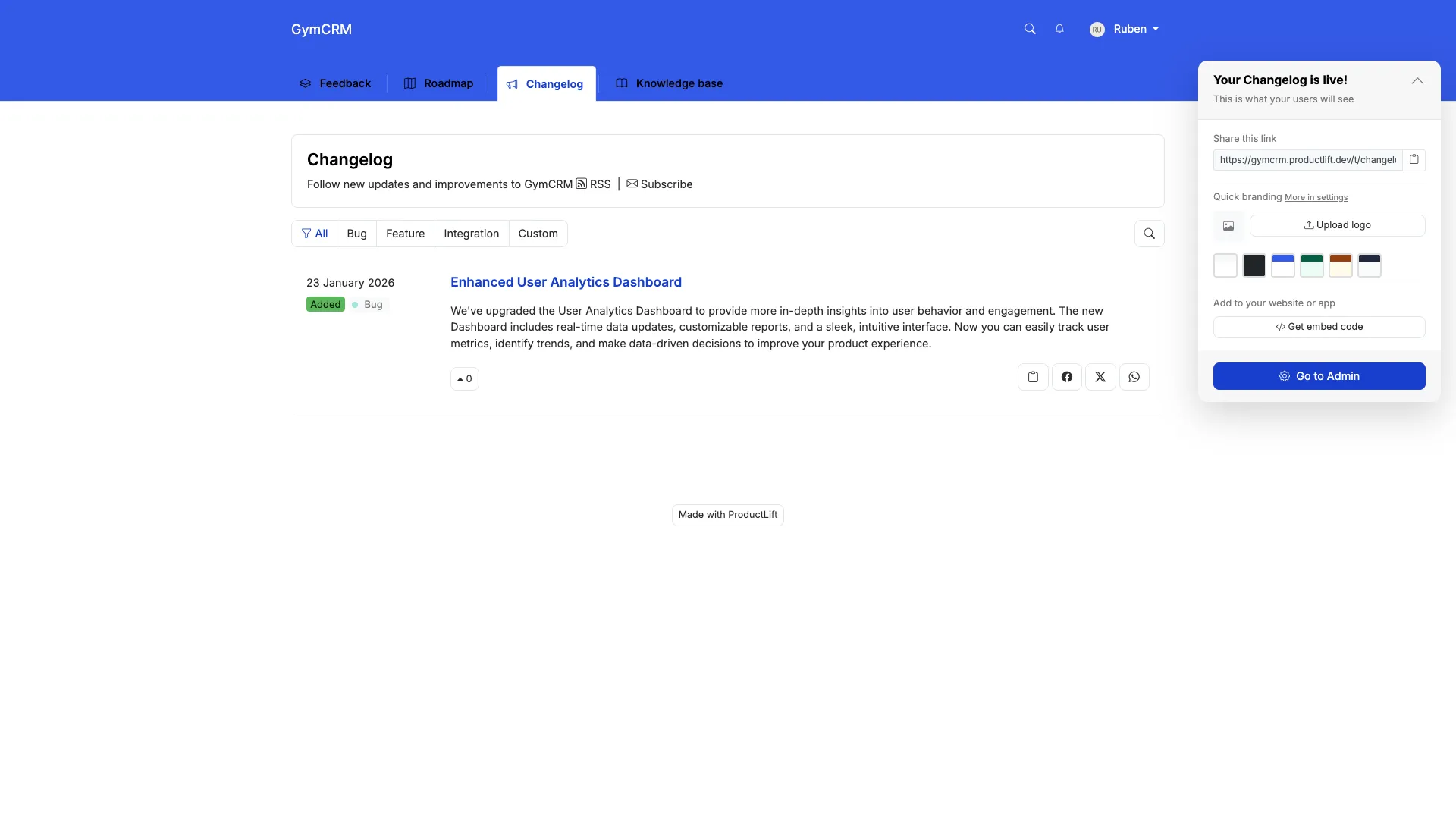
ProductLift approaches release notes differently than every other tool on this list. Instead of treating changelog as a standalone publishing tool, release notes are the final step in a journey model: Feedback --> Roadmap --> Changelog.
Here is what that means in practice: a customer requests a feature. 200 other customers vote on it. You move it to your roadmap. When you ship it and mark it as complete, ProductLift automatically creates a changelog entry and notifies every voter by email. No manual work. No forgotten notifications.
What ProductLift Does Well
- Auto-notify voters: Ship a feature and everyone who voted gets notified. No other release notes tool does this automatically.
- AI-generated release notes: ProductLift can draft changelog entries from your shipped feature descriptions, so you aren't starting from a blank page.
- 28 languages: Release notes appear in each customer's preferred language.
- Full journey tracking: Customers can see the complete history -- from their original request through roadmap to shipped.
- White-label: Custom domain, CSS, branding -- all included on every plan.
- Knowledge base integration: Ship a feature, generate a help article from the same content.
Where ProductLift Falls Short
- No modal popups: Beamer and AnnounceKit offer in-app popup overlays. ProductLift uses email and widget notifications.
- No A/B testing: ProductLift tracks email click rate, delivery rate, and unsubscribes per notification type, but does not offer A/B testing on release note variants like Beamer.
- No Zapier or Intercom: If you rely on these integrations, look at Beamer or AnnounceKit.
- Not changelog-first: If you only need release notes and nothing else, ProductLift gives you more than you need (feedback, roadmap, KB included).
Pricing
- Starter $19/mo, Pro $49/mo, Business $129/mo. Unlimited changelog entries, unlimited readers, all features included.
- No per-user pricing. No feature gates. No hidden costs.
- All plans include unlimited end-users, white-label, and 28 languages.
Best for: SaaS teams who ship weekly and want release notes connected to their feedback loop. The auto-notify feature alone saves hours every month.
Not ideal for: Teams who only need a beautiful standalone changelog without feedback or roadmap features.
Want to See It in Action?
2. Beamer -- Best Standalone Release Notes Tool
G2 Rating: 4.5/5 | Price: $49/mo (Starter, 5,000 MAU), $99/mo (Pro) | Free trial: 14 days
Best for: SaaS teams who need polished release notes with advanced segmentation and modal popups
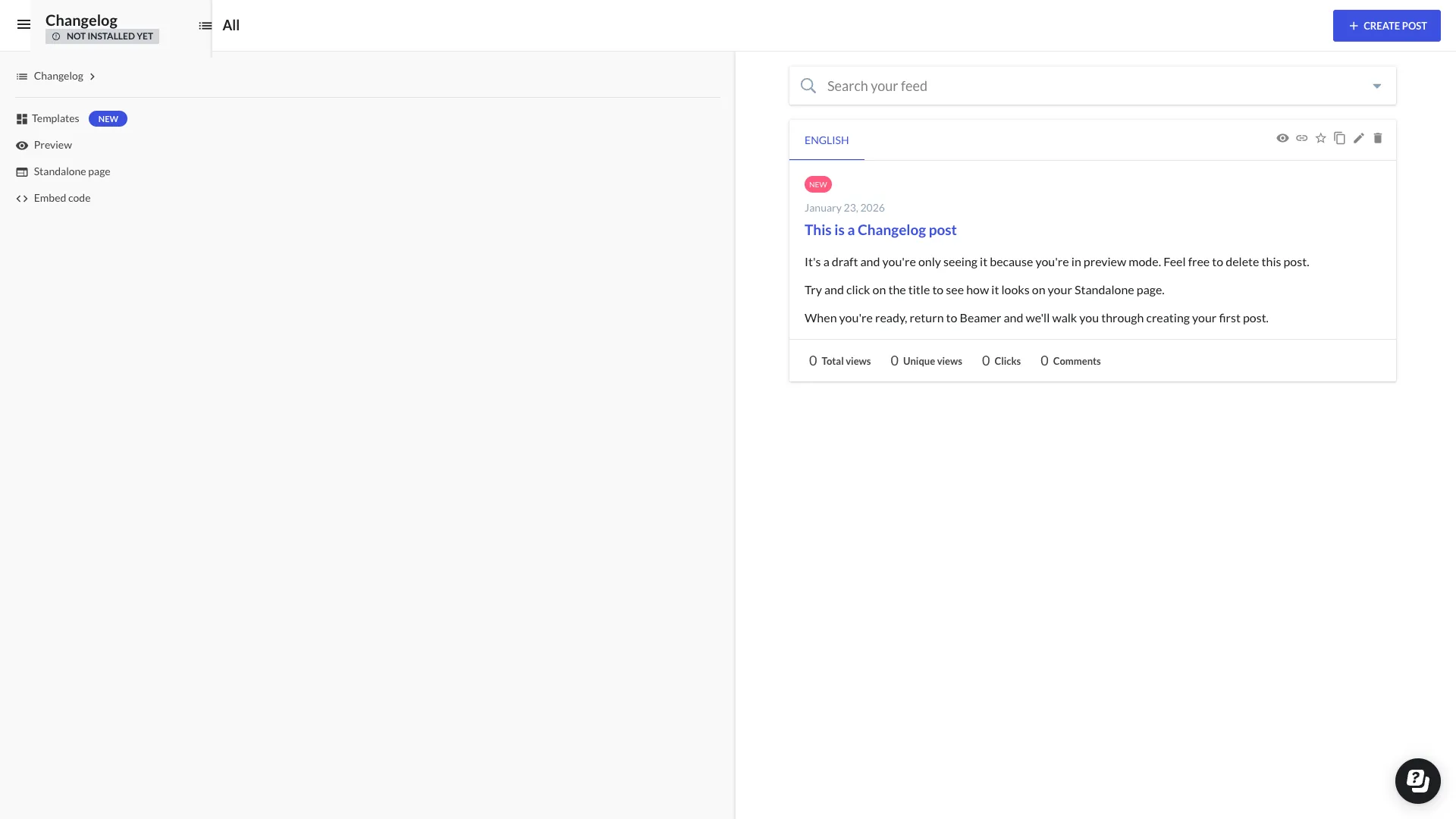
If you only need release notes -- no feedback boards, no roadmap, no knowledge base -- Beamer is the tool most teams reach for. It does one thing and does it well: beautiful product announcements that reach users through multiple channels.
What Beamer Does Well
- Beautiful UI: Release notes look polished and professional out of the box
- Modal popups: Highlight important releases with overlay notifications when users log in
- User segmentation: Show different release notes to Free vs Pro users, or by geography
- NPS surveys: Collect satisfaction scores alongside your release notes
- Push notifications: Browser push for web apps
- Emoji reactions: Users react to gauge sentiment on each release
Where Beamer Falls Short
- No feedback collection: Feedback is a paid add-on, not included. You need a separate tool for feature requests.
- No roadmap: Can't show customers what's coming next.
- Manual everything: Each release note is written from scratch. No auto-generation from roadmap.
- No voter notifications: Can't auto-notify people who requested the feature you just shipped.
- Adds up fast: Beamer ($99) + feedback tool ($19+) + roadmap tool ($49+) = $167+/mo for what ProductLift does from $19/mo.
Pricing
- Starter: $49/mo (5,000 MAU) -- Basic release notes, 1 project
- Pro: $99/mo -- Segmentation, NPS, multiple projects
- Scale: $249/mo (50,000 MAU) -- Priority support, advanced features
Best for: Growth SaaS teams ($500K+ ARR) who already have feedback and roadmap tools and want a polished standalone changelog with advanced distribution features.
Not ideal for: Teams wanting an integrated solution, or anyone wanting automatic voter notifications when features ship.
3. AnnounceKit -- Best Multi-Channel Distribution
G2 Rating: 4.6/5 | Price: $49/mo (Starter) | Free trial: 15 days
Best for: Teams needing release notes distributed across email, in-app, Slack, and social media simultaneously
AnnounceKit focuses on distribution: write one release note, publish it across multiple channels. If your primary concern is making sure every user sees your updates regardless of where they are, AnnounceKit handles that well.
What AnnounceKit Does Well
- Multi-channel publishing: One release note automatically goes to email, in-app, Slack, Twitter, RSS
- User targeting: Segment by plan, geography, or custom user properties
- Analytics: Detailed view and click tracking per release note
- Scheduling: Write today, auto-publish next Tuesday
- API and webhooks: Automate release note publishing from CI/CD pipelines
Where AnnounceKit Falls Short
- No roadmap or feedback: Release notes only, like Beamer
- No voter notifications: Can't connect to feature requests
- Setup complexity: Multi-channel power comes with more configuration
- Pricing scales with features: Higher tiers required for advanced segmentation
Best for: SaaS teams with multi-channel distribution needs and budget for $49-150/mo on release notes alone.
Not ideal for: Teams needing simple release notes or integrated feedback/roadmap.
4. LaunchNotes -- Best for Release Communication Strategy
G2 Rating: 4.5/5 | Price: $49+/mo | Free trial: 14 days
Best for: Product marketing teams who need subscriber management and release communication workflows
LaunchNotes positions itself as a release communication platform rather than just a changelog tool. It focuses on subscriber management, helping you build an audience for your product updates.
What LaunchNotes Does Well
- Subscriber management: Build and segment an audience for your release notes
- Categories and labels: Organize releases by type (feature, fix, improvement)
- Public and private pages: Share some updates publicly, keep others internal
- Email digest: Weekly/monthly rollup emails to subscribers
Where LaunchNotes Falls Short
- No feedback or voting: Subscribers can't request features
- No roadmap: One-way communication only
- Limited widget options: Less polished than Beamer's in-app experience
- Smaller community: Fewer integrations and less community support than Beamer
Best for: Product marketing teams at mid-sized SaaS companies who treat release communication as a strategic activity.
Not ideal for: Engineering teams wanting quick, simple release notes.
5. Headway -- Best Free Release Notes Tool
G2 Rating: 3.0/5 (low) | Price: Free tier, paid from $19/mo
Best for: Pre-revenue startups who need basic release notes with zero budget
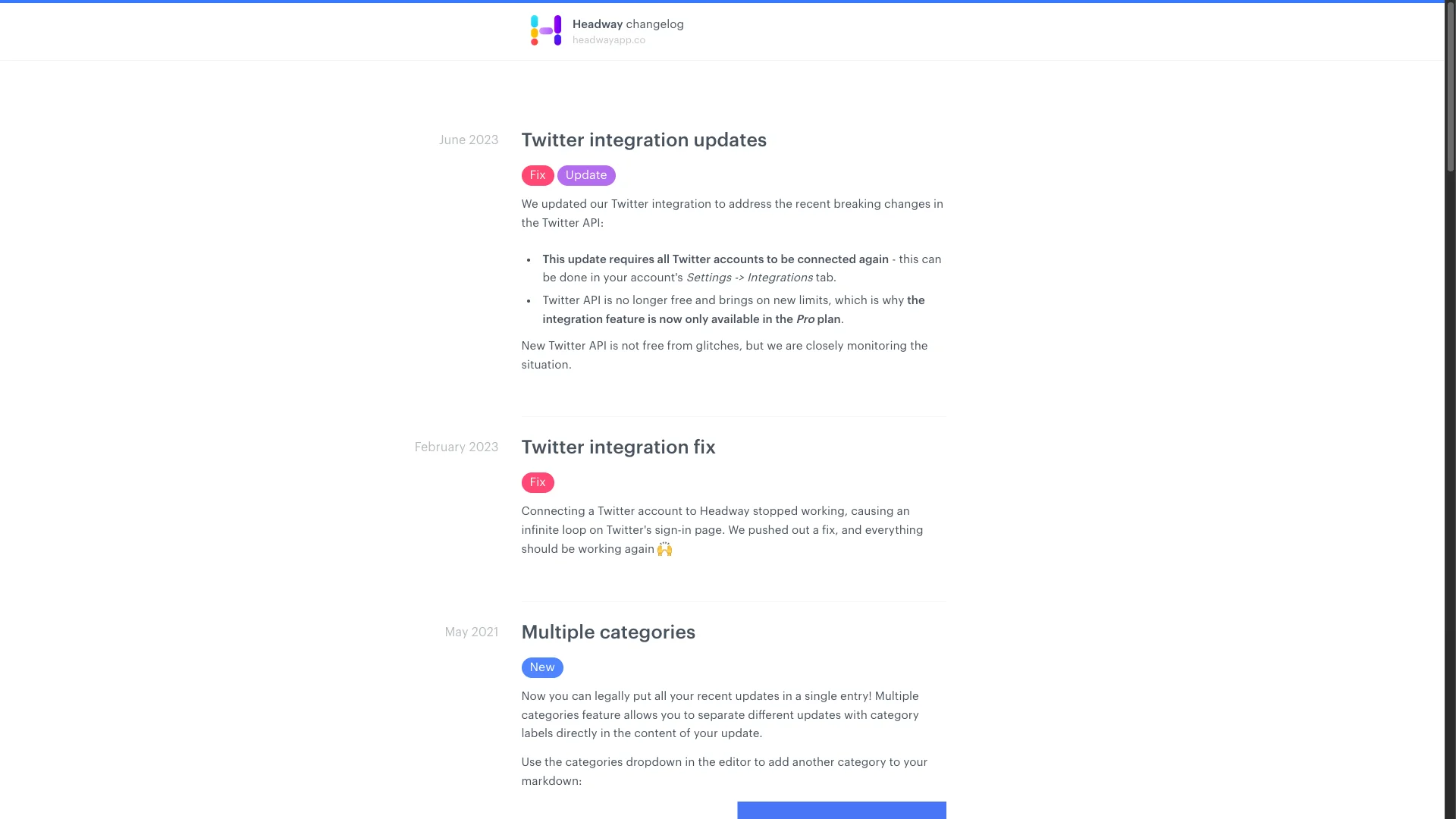
Headway is the most basic option on this list. It offers a free tier for simple changelog publishing, which makes it the default choice for bootstrapped startups with no budget for release notes tools.
What Headway Does Well
- Free tier: Basic changelog at no cost
- Simple setup: Running in minutes, not hours
- Widget: Embeddable changelog widget for your app
- Categories: Tag releases as new, improved, fixed
Where Headway Falls Short
- 3.0 G2 score: This is notably low. Users report bugs, limited features, and slow development.
- No feedback: Changelog only, no feature requests or voting
- No roadmap: Can't show upcoming features
- Basic email: Limited notification options compared to Beamer or AnnounceKit
- Limited customization: Basic branding options on free plan
Best for: Startups with literally $0 budget who need something -- anything -- for release notes.
Not ideal for: Any team that has grown past the earliest stage. Most teams outgrow Headway within 3-6 months.
6. ReleaseNotes.io -- Simple and Affordable
Price: $29+/mo | Free trial: Available
Best for: Small teams wanting a straightforward, no-frills release notes page
ReleaseNotes.io is exactly what the name says: a simple tool for publishing release notes. No bells, no whistles, no complexity.
What ReleaseNotes.io Does Well
- Simplicity: Clean editor, publish quickly, no learning curve
- Custom domain: Host on your own subdomain
- Email notifications: Basic subscriber notifications
- Affordable: $29/mo starting price
Where ReleaseNotes.io Falls Short
- Very basic: No segmentation, no analytics, no in-app widget
- No feedback: Release notes only
- Limited integrations: Minimal third-party connections
- Small team: Fewer updates and slower feature development
Best for: Small teams who want a clean release notes page without paying Beamer prices.
Not ideal for: Teams needing distribution, analytics, or feedback integration.
7. Olvy -- Best AI-Powered Release Notes
Price: $29+/mo | Free trial: Available
Best for: Teams wanting AI to draft release notes from Slack conversations and support tickets
Olvy leans heavily into AI. It monitors your Slack channels, support tickets, and internal conversations, then uses AI to draft release notes from what your team is already discussing. The idea is compelling: stop writing release notes manually.
What Olvy Does Well
- AI content generation: Draft release notes from Slack, Intercom, and support conversations
- Slack integration: Deep connection to team communication
- Feedback analysis: AI analyzes user sentiment across channels
- Modern UI: Clean, contemporary design
Where Olvy Falls Short
- AI quality varies: Generated release notes often need significant editing
- No voting or roadmap: Feedback analysis without public voting boards
- Newer tool: Smaller community, fewer proven enterprise deployments
- Limited distribution: Less polished in-app widgets compared to Beamer
Best for: Teams already using Slack heavily who want AI to reduce the manual work of writing release notes.
Not ideal for: Teams needing proven, reliable release notes with advanced distribution or feedback integration.
Feature Comparison Table
How all 7 release notes tools compare on the features that matter most:
| Feature | ProductLift | Beamer | AnnounceKit | LaunchNotes | Headway | ReleaseNotes.io | Olvy |
|---|---|---|---|---|---|---|---|
| Changelog/Release Notes | ✅ | ✅ | ✅ | ✅ | ✅ | ✅ | ✅ |
| In-App Widget | ✅ | ✅ | ✅ | ⚠️ Basic | ✅ | ❌ | ⚠️ Basic |
| Email Notifications | ✅ Auto | ✅ | ✅ | ✅ | ⚠️ Basic | ⚠️ Basic | ✅ |
| Feedback Collection | ✅ Built-in | ❌ | ⚠️ Comments | ❌ | ❌ | ❌ | ⚠️ AI analysis |
| Public Roadmap | ✅ | ❌ | ❌ | ❌ | ❌ | ❌ | ❌ |
| Voting | ✅ | ❌ | ❌ | ❌ | ❌ | ❌ | ❌ |
| AI Generation | ✅ | ❌ | ❌ | ❌ | ❌ | ❌ | ✅ |
| Segmentation | ✅ | ✅ Advanced | ✅ Advanced | ✅ | ❌ | ❌ | ⚠️ Basic |
| Analytics | ⚠️ Basic | ✅ Advanced | ✅ Advanced | ✅ | ❌ | ❌ | ⚠️ Basic |
| Multi-Language | ✅ (22) | ✅ | ✅ | ❌ | ❌ | ❌ | ❌ |
| White-Label | ✅ | ✅ | ✅ | ✅ | ⚠️ Paid | ✅ | ✅ |
Pricing Comparison
What you'll actually pay at different team sizes. "Starting at" prices are misleading -- here's the reality:
| Tool | Starter | Pro | Business | Includes Feedback/Roadmap? |
|---|---|---|---|---|
| ProductLift | $19/mo | $49/mo | $129/mo | Yes (all included) |
| Beamer | $49/mo | $99/mo | $249/mo | No (changelog only) |
| AnnounceKit | $49/mo | $49/mo | $99+/mo | No (changelog only) |
| LaunchNotes | $49/mo | $49/mo | $99+/mo | No (changelog only) |
| Headway | Free | $19/mo | $19/mo | No (changelog only) |
| ReleaseNotes.io | $29/mo | $29/mo | $49+/mo | No (changelog only) |
| Olvy | $29/mo | $49/mo | $99+/mo | No (AI analysis only) |
Hidden cost alert: Standalone release notes tools still need separate feedback ($79-200/mo) and roadmap ($49-200/mo) tools. Total stack cost: $177-500+/mo. ProductLift includes all of these from $19/mo.
Still Comparing? Try It Yourself
Decision Framework: Which Release Notes Tool Should You Choose?
Step 1: Do You Need Just Release Notes, or the Full Loop?
Just release notes: If you already have feedback and roadmap tools you love, choose a standalone option. Beamer for polished announcements, AnnounceKit for multi-channel distribution, Headway if budget is zero.
Full feedback-to-release-notes loop: ProductLift is the only tool that handles feedback, roadmap, and changelog with automatic voter notifications natively.
Step 2: What's Your Budget?
$0/mo: Headway free tier. Basic but functional. Expect to outgrow it.
$19-129/mo: ProductLift (Starter to Business). Release notes + feedback + roadmap + KB included.
$29-49/mo: ReleaseNotes.io, Olvy, or AnnounceKit for standalone changelog.
$49-99/mo: Beamer for polished standalone release notes with advanced features.
$99-249/mo: Beamer Scale or AnnounceKit premium for enterprise release communication.
Step 3: What Distribution Matters Most?
In-app widget priority: Beamer (best widgets) > ProductLift > AnnounceKit > Headway
Email notification priority: AnnounceKit > Beamer > ProductLift (auto-notify voters) > LaunchNotes
Multi-channel (email + Slack + social): AnnounceKit > Beamer > LaunchNotes
Auto-notify voters: ProductLift (only option)
Step 4: Specific Scenarios
| "I ship 4+ features per week" | ProductLift. The auto-create workflow saves 20+ minutes per feature. |
| "I need beautiful announcements" | Beamer. Best-looking release notes with modal popups and NPS. |
| "I serve international users" | ProductLift (28 languages) or Beamer. Most others are English-only. |
| "I want AI to write my release notes" | Olvy (from Slack/tickets) or ProductLift (from shipped features). |
| "I have $0 budget" | Headway free tier. But upgrade to ProductLift (from $19/mo) as soon as budget allows. |
| "Voters need to know when I ship" | ProductLift. Only tool with automatic voter notification on ship. |
How We Evaluated These Release Notes Tools
We scored each release notes tool against six weighted criteria based on hands-on use of ProductLift, publicly documented feature sets, published pricing (verified against each vendor's pricing page at last review), and G2 review sentiment across the last 12 months.
- Publishing speed (20%) — Time from "feature shipped" to "customers notified." AI drafting, roadmap-to-release-notes automation, and one-click multi-channel publishing win here.
- Voter auto-notification (20%) — Does the tool close the feedback loop and notify the users who requested a feature when it ships? This is the single highest-ROI release notes feature for SaaS with a feedback pipeline.
- In-app widget quality (15%) — Modal, badge, or embedded feed. In-app views beat email views 10-100x on engagement.
- Pricing predictability (15%) — Flat, per-tracked-user, per-seat, or freemium. Per-seat pricing punishes larger teams; freemium punishes larger user counts.
- Integration reality (15%) — Does the release notes tool actually connect to feedback boards, roadmap items, and CRMs (HubSpot, Intercom, Slack) out of the box, or only via Zapier?
- Analytics depth (15%) — View count, click-through, reactions, and (rare but valuable) downstream feature adoption tracking.
Every ranking below is the result of running each tool through this rubric. Best-in-class calls per criterion (Headway on free tier, Beamer on in-app modal, ProductLift on voter auto-notification, LaunchNotes on release strategy) are called out explicitly in each tool's review.
Release Notes FAQ
What is a release notes tool and how is it different from release notes software?
What is the best release notes app for small SaaS teams?
Which release notes tools have a free plan?
What is the difference between release notes and a changelog?
How often should I publish release notes?
Should I auto-notify all customers about every release note?
Can I connect release notes to my feedback and roadmap?
What makes a good release note?
Should release notes be public or require login?
How do I get customers to actually read release notes?
Is it worth paying for a release notes tool or should I use my blog?
Can I migrate from one release notes tool to another?
What is the real cost of using separate tools for feedback, roadmap, and release notes?
Related Comparison Guides
Explore more tool comparisons to find the right software for your team:
- Best Changelog Tools. Announce product updates to users
- Best Product Roadmap Software. Plan and share your roadmap
- Best Public Roadmap Tools. Customer-facing roadmap tools
- Best Feedback Tools for SaaS. Complete feedback platforms
- Best Feature Request Tools. Collect the requests your release notes announce
- Best Knowledge Base for SaaS. Turn release notes into help articles
- Compare Feedback Tools Head-to-Head — Feature tables for Canny, UserVoice, Productboard & more
- Beamer Pricing 2026. Pricing breakdown of a popular release notes tool
- How to Write Release Notes. Practical guide with examples
- Changelog vs Release Notes. What is the difference?