Knowledge base plugin for Mobirise
The Ultimate Mobirise Knowledge Base Plugin
Create and manage a comprehensive knowledge base for your Mobirise site to support your users and enhance self-service capabilities.
Create your Knowledge base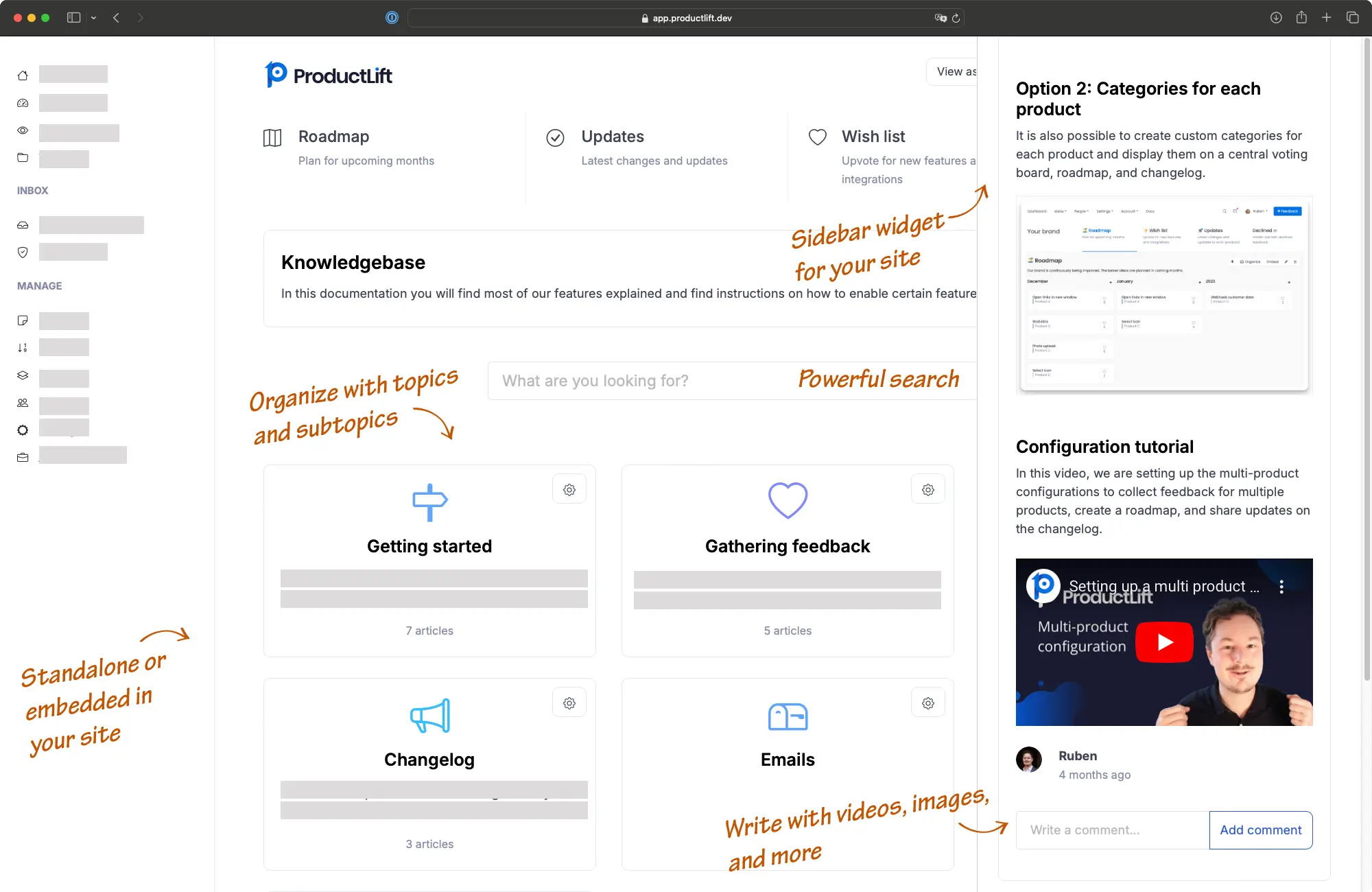

"I loved everything about it! The user interface, the way it lays out is so amazing. Down to internal notes, attachments, and just simply works for us and our company."

CEO at Indema
Explore other ProductLift features for Mobirise
Improve Customer Support
Provide instant access to helpful articles and guides in the knowledge base for Mobirise, reducing the need for direct support and increasing customer satisfaction.
Reduce Support Costs
By enabling users to find answers themselves on the knowledge base in Mobirise, you can significantly cut down on support tickets and operational costs.
Increase User Engagement
A well-maintained Mobirise Plugin knowledge base keeps users engaged by providing them with the resources they need to successfully use your product.
Streamline Onboarding
Accelerate user onboarding with structured educational content in the knowledge base that helps new users understand and utilize your product more effectively.
Top 6 Reasons Why Over 3,000 Users Love our Knowledge Base
AI Content Creation
Rewrite and improve articles with AI, enabling team members to create polished articles efficiently without the need for extensive editing.
Markdown Sync with Bulk Upload
Sync your documentation from Git repositories or upload multiple markdown files at once for rapid knowledge base setup and maintenance.
Automatic Image Management
Upload images directly in the editor with automatic optimization and CDN hosting—no manual image management needed.
File Attachments
Attach PDF, Excel, and other document types to your articles for comprehensive resource sharing.
Flexible Widget Options
Display as a sidebar widget, embedded iframe, or standalone help center to fit your Mobirise site structure perfectly.
Customizable Design
Extensive design options to match your brand, ensuring a cohesive look and feel with your existing platforms.
Demo: See It in Action
Experience our knowledge base seamlessly integrated into the web page.
Other demos
Standalone Demo
Explore our full-featured, standalone knowledge base in action.
View Standalone DemoHow it works
Create an account
Create and Organize Content
Embed it on Mobirise
Need more details? Read the full Mobirise installation guide.
Features
Build a great Mobirise knowledgebase with these features
(and more)
Widgets for Integration
Embed feedback, roadmap, changelog, and knowledge base widgets into your product.
Single Sign-On (SSO)
Seamlessly authenticate users without requiring new accounts.
Embeddable Iframes
Easily embed feedback boards, roadmaps, or changelogs in your site via iframe.
WYSIWYG Editor
Allows formatting of posts with a full WYSIWYG editor.
Knowledge Base Management
Host structured knowledge bases with unlimited topics and subtopics.
AI Knowledge Base Articles
Generate knowledge base articles based on changelog updates.
Full Customization
Custom branding with SCSS, custom domain, and flexible tab configurations.
API and Webhooks
Integrate seamlessly with external platforms via API and webhooks.
Trusted by the best
5,204 of the best product managers, SaaS companies, and digital businesses are building better with ProductLift

Sebastian F.
Entrepreneur

Aaron Dye

Timothy M.
Product Manager

Ben
Product Owner

Marco

Chris R.
Founder
Mobirise Knowledge base FAQ
How do I install the Knowledge base Mobirise plugin?
Add a knowledge base to Mobirise by adding it as an iframe or a JavaScript code. Create a ProductLift account, go to your knowledge base and click "Embed". Now, copy the provided code and paste it into your Mobirise site via the Plugin section in your Mobirise dashboard and activate it.Can I customize the knowledge base to fit my brand?
Yes, the Plugin Mobirise knowledge base offers extensive customization options for colors, fonts, and layouts to ensure it aligns with your brand identity.Is the Plugin knowledge base Mobirise user-friendly?
Absolutely, it features a great user experience and anyone is able to add or edit content in the knowledge base without needing technical skills.Does the knowledge base Plugin work well with other Mobirise plugins?
Yes, it's designed to integrate seamlessly with a wide range of Mobirise plugins, enhancing its functionality and your site's overall utility.Can the knowledge base be public or private?
You control the visibility of your knowledge base; it can be public for all to see or private, restricted to certain users or roles.What integrations does the Mobirise Plugin knowledgebase support?
Yes, the knowledgebase Mobirise Plugin offers integration capabilities with external tools such as Jira, Google Analytics, Slack, Pabbly Connect, and it also provides an API. This integration helps streamline your workflow and enhance productivity.Who takes care of updates and maintenance?
All updates and maintenance for the Plugin Mobirise knowledgebase are managed by us, ensuring that your site always has the latest features with minimal downtime.What is Mobirise?
Mobirise is a free offline website builder that allows you to create stunning and responsive websites without any coding knowledge. It offers a wide range of pre-designed blocks and templates for easy customization.How expensive is Mobirise?
Mobirise is completely free to use. There are no hidden charges or subscription fees. You can download the software and start building your website without any cost.Is Mobirise a good platform?
Yes, Mobirise is a highly regarded platform for website building. It provides a user-friendly interface, extensive customization options, and a responsive design. With its drag-and-drop functionality, it makes website creation quick and easy for both beginners and experienced users.The faster, easier way to capture user feedback at scale
Join over 5,204 product managers and see how easy it is to build products people love.
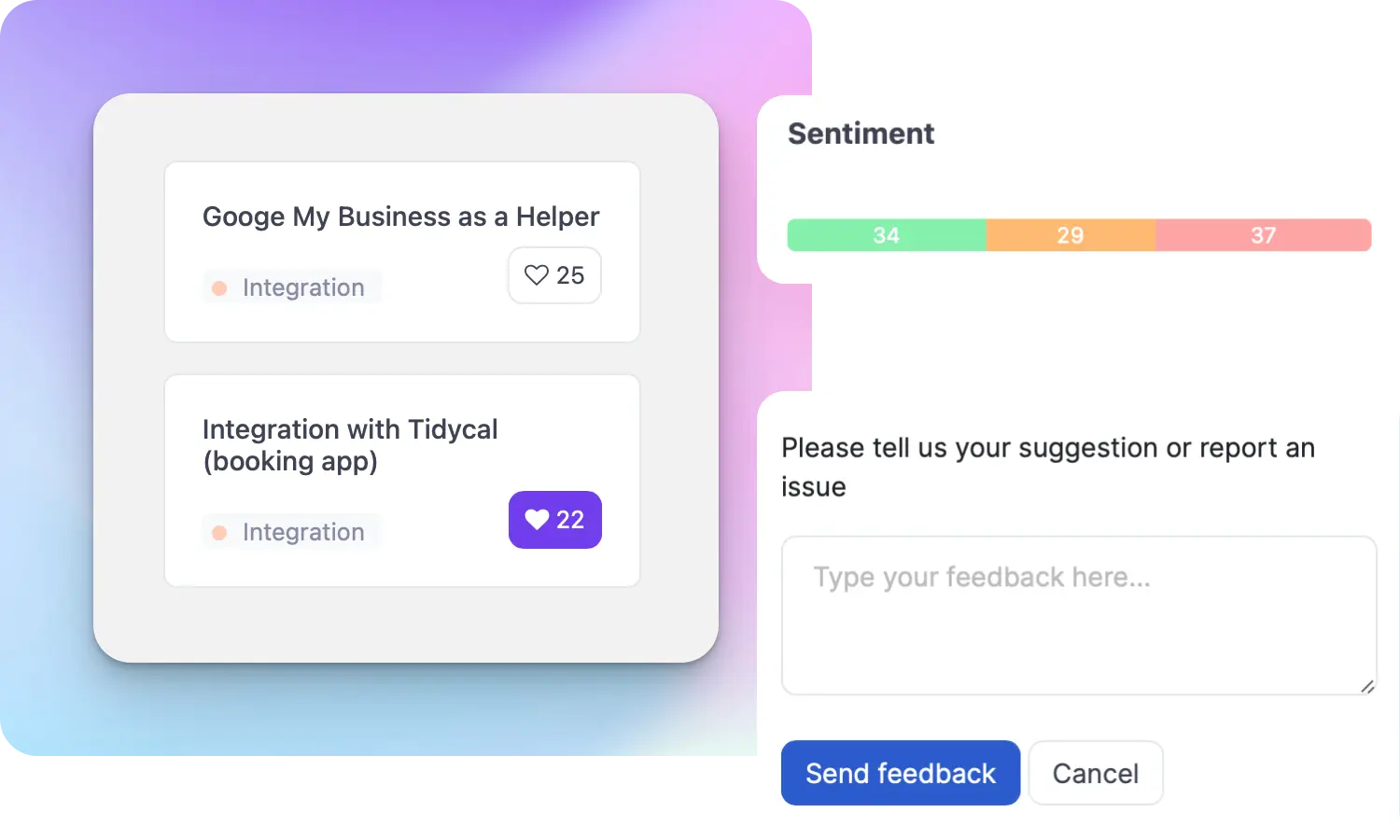
Did you know 80% of software features are rarely or never used? That's a lot of wasted effort.
SaaS software companies spend billions on unused features. In 2025, it was $29.5 billion.
We saw this problem and decided to do something about it. Product teams needed a better way to decide what to build.
That's why we created ProductLift - to put all feedback in one place, helping teams easily see what features matter most.
In the last five years, we've helped over 5,204 product teams (like yours) double feature adoption and halve the costs. I'd love for you to give it a try.

Ruben Buijs
Founder & Digital Consultant
Related Resources
Works With All Popular Platforms
 Wordpress
 Wix
Wix
 Shopify
 Squarespace
 Woocommerce
 Webflow
 Prestashop
 Framer
Jimdo
Carrd
Framer
Jimdo
Carrd